
Sign a PDF
Create your signature once, click the signature line to place it, add initials or a date, and download the signed PDF.
Drop a PDF hereLet go to start
or paste with Ctrl/⌘+V
Start without an account. A free account includes 3 edited-document downloads a month. See plans
What it does
Sign PDF, explained
To sign a PDF online, create a signature — type your name in a handwriting-style font, draw it with a mouse, trackpad or finger, or upload a photo of your ink signature — then click the signature line to place it and download the signed file. PDFBetter opens straight into the signature wizard so you can be done in a minute.
Read more
This page is about signing a document yourself. If someone else has to sign — a client, a tenant, a co-founder — use Request signatures instead: it emails each person a private signing link, collects signatures in the order you set, has every signer sign with their own cryptographic key, and returns a signed PDF that is digitally sealed and time-stamped, with the evidence and a certificate of completion built in. You can do both on one document by adding yourself as a signer in the request.
The three methods suit different situations. Typed is fastest and always legible. Drawn looks most like your handwriting and works well on a phone or tablet. Uploaded reuses the signature you already have on paper — sign on plain white paper, photograph it in good light and crop tightly; a PNG with a transparent background looks best. Initials work the same way for forms that ask you to initial each page, and the date tool stamps the signing date next to the line.
On the law: in the US, the ESIGN Act (2000) and state UETA laws generally give electronic signatures the same effect as handwritten ones, and the EU's eIDAS Regulation (No 910/2014) recognizes electronic signatures while reserving some uses for advanced or qualified signatures. Some documents — wills, certain family-law and court papers, some notices — are commonly excluded. PDFBetter is not a law firm; check what your document requires. What you apply here is an electronic signature mark, not a certificate-based digital ID signature, and the downloaded file is not digitally sealed.
In the app
What it looks like
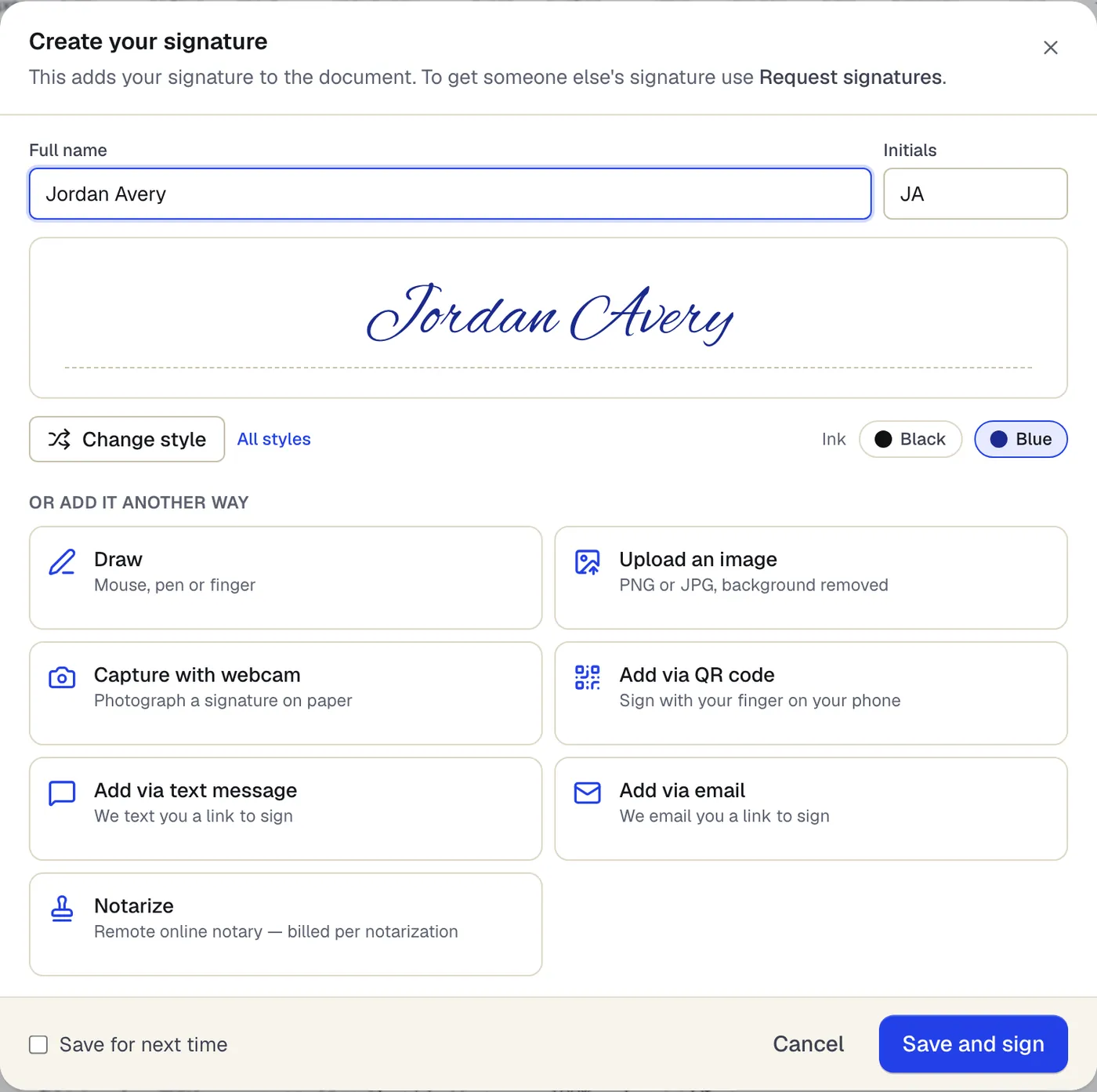
- Type your name and pick a style and ink color
- Or draw it, upload it, or finish on your phone
The signature dialog that opens from Sign. Sample content; names and companies are fictional.
How to do it
Sign a PDF in 4 steps
1The document
2Type, draw or upload
3Signed
- 1
Upload the PDF
The signature wizard opens. Sign as a guest, or sign in to reuse a saved signature.
- 2
Create your signature
Type your name and pick a style, draw it, or upload a photo. Choose black or blue ink.
- 3
Place it on the line
Click where it belongs and resize it to fit. Add initials or the date the same way.
- 4
Download the signed PDF
Create a free account to download. Applied signatures are locked in place so they are not moved by accident.
Example
Before and after
A 2-page freelance services agreement emailed as a PDF, with “Contractor signature” and “Date” lines on page 2 and “Initials” boxes at the bottom of each page.
A drawn signature on the contractor line, typed initials in both page footers, and “October 15, 2026” on the date line, downloaded as one signed PDF ready to send back.
Settings & formats
What you can control
- Typed
- Your name in one of several handwriting-style fonts.
- Drawn
- Freehand with mouse, trackpad, stylus or finger; clear and redraw until it looks right.
- Uploaded
- A PNG or JPG photo or scan of your ink signature.
- Initials
- A separate, smaller mark for forms that ask for initials on each page.
- Save for reuse
- With an account, keep your signature and initials so the next document takes one click.
Input
Output
Good to know before you start
- Self-signing applies a visual electronic signature, not a certificate-based (digital ID) signature. If a recipient requires a digital ID or a qualified electronic signature, this is not it.
- Self-signing does not produce an audit trail, a certificate of completion or a digital seal. Use Request signatures when you need evidence of who signed and when: each signer signs with their own device key, and the completed PDF is sealed and time-stamped so any later change shows in PDF readers.
- If the PDF was already digitally signed by someone else, adding your signature changes the file and readers will flag their signature as altered. Sign before they do, or use a signing request for everyone.
- Uploaded signature photos with shadows, lined paper or a colored background will show those artifacts; re-take the photo on plain white paper.
If something goes wrong
If something goes wrong
- My drawn signature looks shaky.
- Draw larger and slower, or use a phone or tablet with your finger; the signature is scaled down when placed, which smooths it.
- The uploaded signature has a gray box around it.
- The photo has a gray background. Re-take it on bright white paper in daylight and crop close to the ink, or save it as a PNG with transparency.
Sign PDF: questions people ask
Is an electronic signature legally binding?
In many places, including the US under the ESIGN Act and UETA and the EU under eIDAS, electronic signatures are generally valid for most business documents, with exceptions such as wills. PDFBetter is not a law firm; check the rules for your document and jurisdiction.
What is the difference between signing and requesting a signature?
Signing means you add your own signature to a PDF. Requesting means you send the PDF to other people, who sign through their own links, each with their own cryptographic key, while PDFBetter tracks progress, records an audit trail, and seals and time-stamps the completed PDF with the evidence inside.
Is a typed signature as valid as a drawn one?
Laws like ESIGN focus on intent to sign rather than how the mark looks, so a typed signature is generally treated like a drawn one. Some organizations still ask for a drawn signature, so follow their instructions.
Can I sign on my phone?
Yes. The editor works in mobile browsers, and drawing with your finger usually gives the most natural signature.
Can someone move or copy my signature from the downloaded PDF?
Applied signatures are locked in the editor. In the download they are part of the page; flatten on download if you want to be sure no reader treats them as movable objects.
The PDF has a “click to sign” digital signature field. Will this fill it?
No. That kind of field expects a certificate-based digital ID. You can place your electronic signature over it visually, but the field itself stays unsigned.
Do I need an account to sign?
You can create and place your signature without one. Downloading the signed PDF needs a free account, which also lets you save your signature.