
To ask questions across multiple PDFs, put them in a PDFBetter document workspace and ask in plain language. The answer draws on every document, cites the document, the version it was read from and the page for each claim, with a quote checked word for word against that page, and says so when the documents don't cover the question. An answer costs 2 AI credits, and the same workspace can turn the documents into a brief, slide outline, audio brief or quiz.
- Lease 2025v1 · follows latest
- Signed agreementv2 · pinned
- Pricing schedulev1 · follows latest
What notice does each agreement require?
The lease asks for 60 days' written notice before the end of the term 1. The signed agreement can be ended by either party with 30 days' notice 2. The pricing schedule doesn't mention notice.
- 1 Lease 2025 · v1 p. 2
- 2 Signed agreement · v2 p. 3
What a workspace does
Add documents you already have in PDFBetter — your own, your team's, or ones shared with you for editing — and give each a short label such as “Lease 2025” that appears in citations.
Ask across documents finds the most relevant passages in each document, so one long file can't crowd out the others, and writes an answer with numbered citations. When the documents don't answer the question, it says so instead of guessing.
Briefs, slide outlines, quizzes and audio briefs are saved in the workspace with their citations, so you can come back to them, download the PDF or MP3, and follow every source link.
Create a workspace
Name it after the project or question, for example “Office move” or “Q3 supplier review”.
Add documents
Pick documents from your library. Pin a document to its current version, or let it follow the latest version.
Ask or generate
Ask a question (2 AI credits) or generate a brief (4), quiz (2) or audio brief (6).
Check the sources
Each citation shows the document label, version and page, and opens the document in the editor.
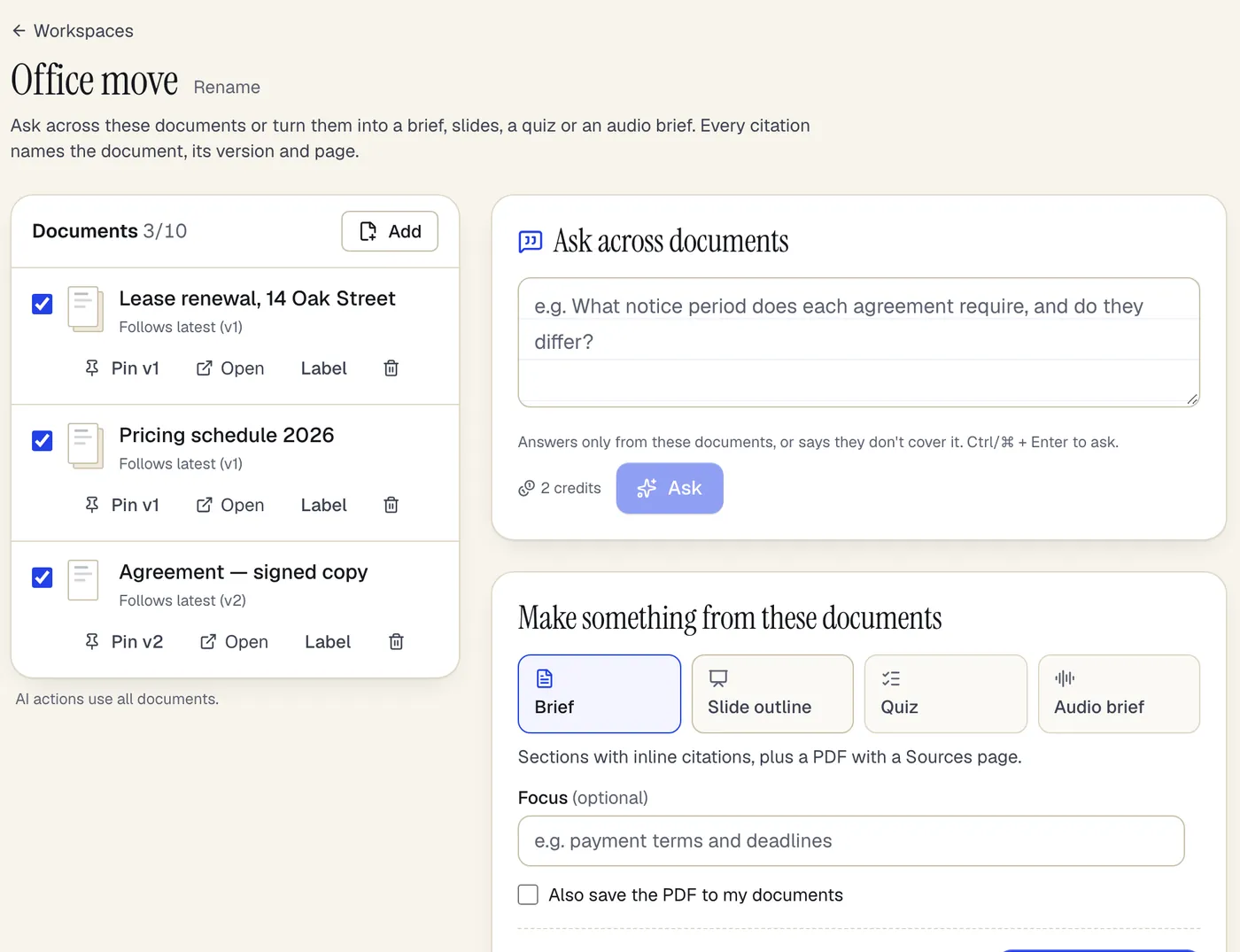
- Each document follows its latest version — or pin one
- Ask across all of them; the cost shows before you run it
- Turn the same documents into a brief, slides, a quiz or audio
A workspace with three documents, ready to ask across. Sample content; names are fictional.
Version-aware citations
Version-aware citations
PDFBetter documents keep versions as you edit them. A workspace either pins a document to one version or follows the latest one, and every answer records which version it read.
A quote is kept only when it appears word for word on the cited page of that version. Citations that fail the check are removed and the output says how many — they are never redirected to a nearby page.
Pinning is useful when you compare drafts: pin the signed version of an agreement and add the new draft that follows the latest version, then ask what changed.
Who can see what
Who can see what
A workspace belongs to the person who created it; it isn't shared with a team. Its documents follow the normal document permissions: you can only add documents you can open, and access is checked again every time the workspace is used.
If a document is deleted or you lose access to it, the workspace keeps the entry but skips it and tells you, rather than reading it.
Limits by plan
Limits by plan
Free: 2 workspaces with up to 10 documents each. Pro: 50 workspaces, 50 documents each. Business: unlimited workspaces, 200 documents each.
AI features also read a limited number of pages per document per plan; pages beyond that limit, and scanned pages without a text layer, are listed as not read.
Plans
What each plan includes
| Free | Pro | Business | |
|---|---|---|---|
| AI credits per month | 20 | 500 | 2,000 |
AI actions cost a set number of credits each; the full list is on the pricing page. Compare all plans
What it doesn't do
- It isn't a shared drive: documents stay where they are, and a workspace only references them.
- It isn't full enterprise search: it searches the documents in one workspace, not your whole account or other systems.
- Scanned PDFs need OCR before they can be searched or cited; text in images and charts isn't read.
- Answers and briefs can be wrong or incomplete. Citations are checked for exact quotes, not for whether the conclusion drawn from them is right.
- Workspaces can't be shared with team members yet.
Document workspaces: questions people ask
How is this different from Chat with PDF?
Chat with PDF talks to one document inside the editor. A workspace holds several documents, searches each of them so one long file can't crowd out the others, and every citation names which document and version it came from.
How many PDFs can I ask across?
Up to 10 documents per workspace on Free, 50 on Pro and 200 on Business. Each document is read up to your plan's AI page limit; pages beyond it are listed as not read.
What happens when I edit a document that's in a workspace?
If the workspace follows the latest version, the next answer reads the edited version. If it's pinned, it keeps reading the pinned version until you unpin it.
Can I ask across documents from different people?
Yes, if you can open them in PDFBetter — your own, your team's, or documents shared with you for editing. Access is re-checked every time.
What does it cost?
Workspaces are included in the plan limits above. AI actions use credits: 2 per answer, 4 per brief or slide outline, 2 per quiz, 6 per audio brief.
What if the documents don't answer my question?
The answer says the documents don't cover it and shows no citations. It doesn't fall back to general knowledge.
Can an agent use workspaces?
Yes. With an agent connection key, MCP tools can list workspaces, add documents, ask across them and generate cited briefs.