Features
Features, with the fine print up front
Each page says what the feature does, which plans include it, and what it doesn't do. Start with the short answer, then read as far as you need.
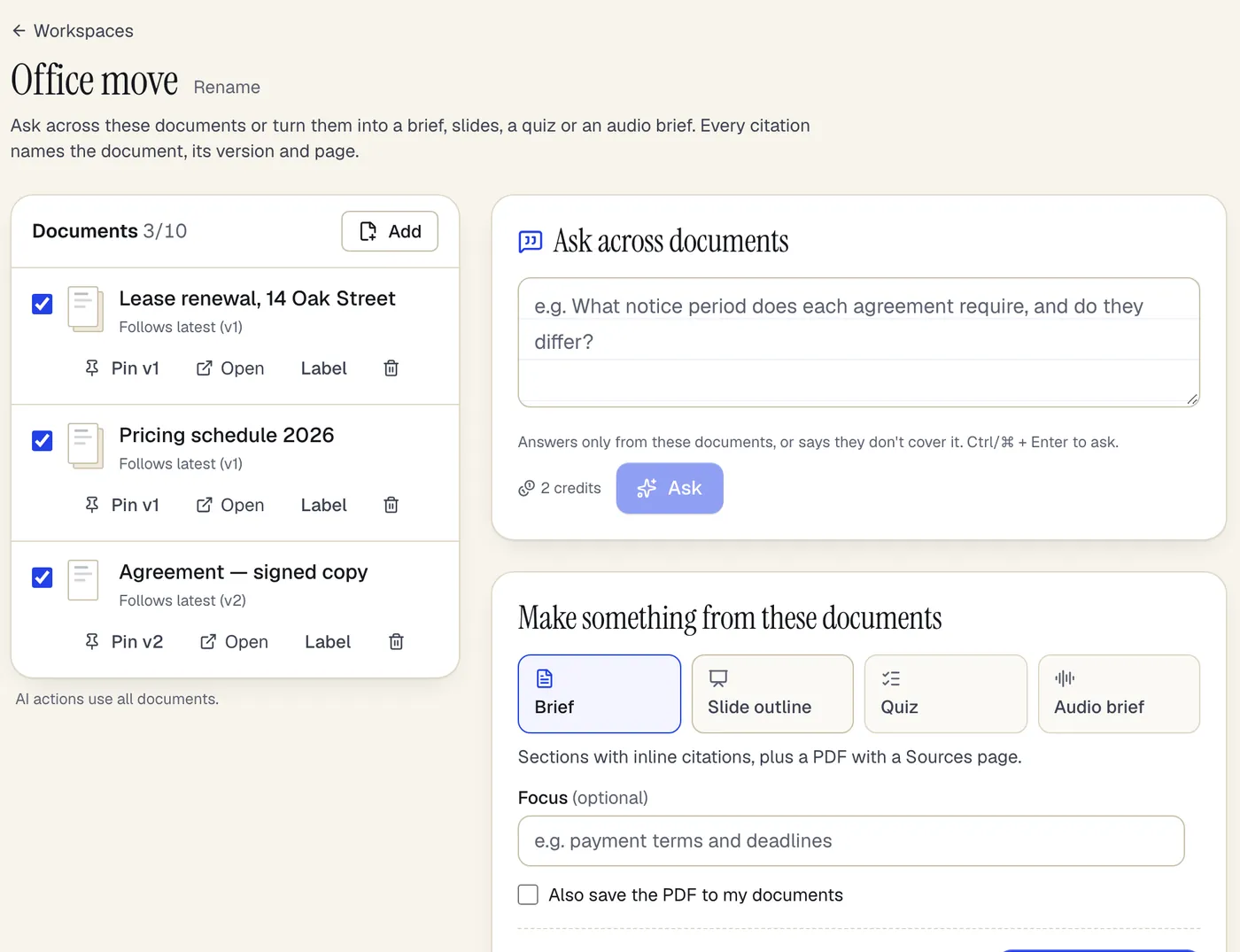
- Document workspacesTo ask questions across multiple PDFs, put them in a PDFBetter document workspace and ask in plain language. The answer draws on every document, cites the document, the version it was read from and the page for each claim, with a quote checked word for word against that page, and says so when the documents don't cover the question. An answer costs 2 AI credits, and the same workspace can turn the documents into a brief, slide outline, audio brief or quiz.Beta
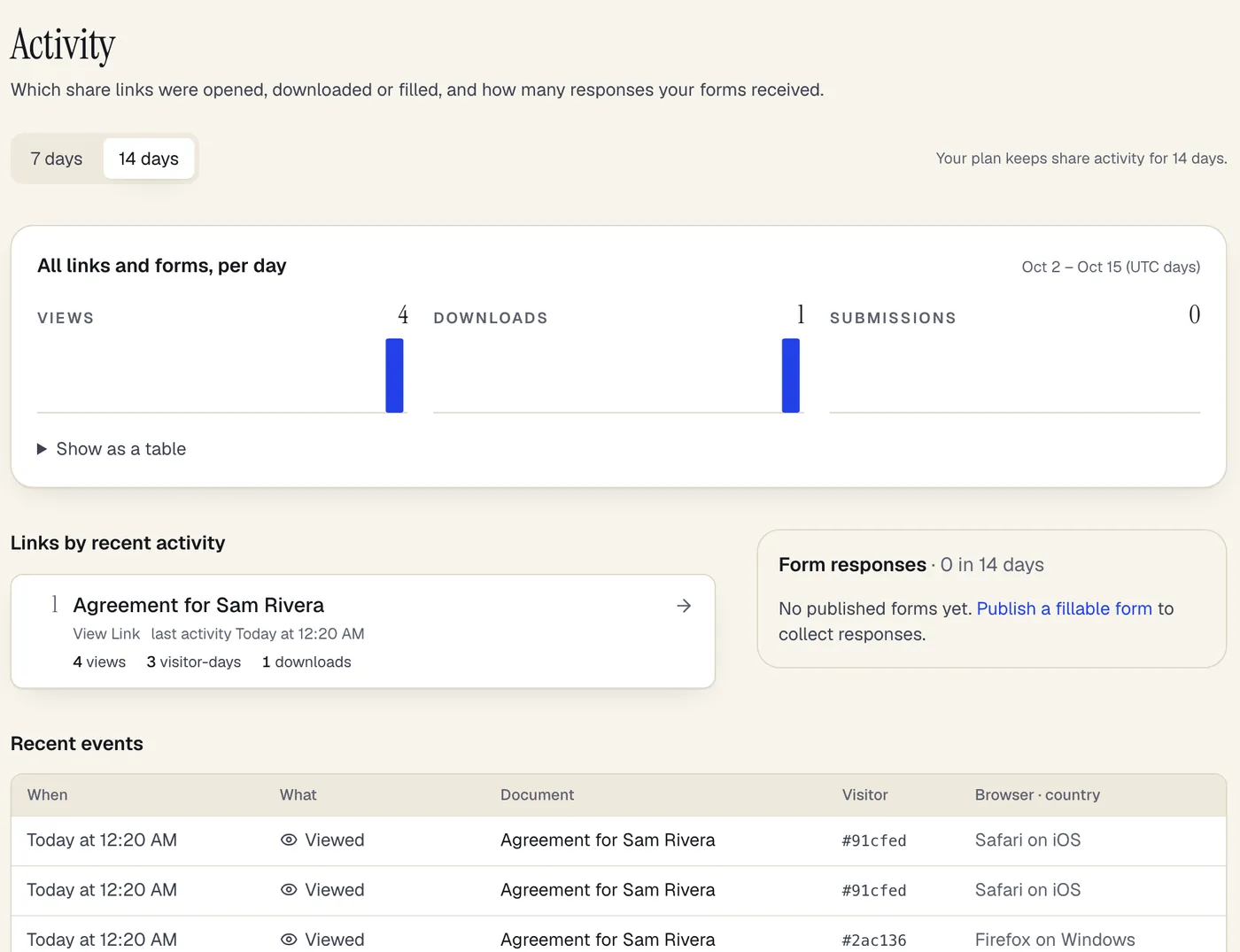
- Document share analyticsTo see who opened a PDF you shared, create the link in PDFBetter's Share dialog and open Activity: it shows, per link and per day, when the document was viewed, downloaded, commented on or filled in, alongside responses to your published forms. For links limited to specific people, each event shows the verified email of the account that opened it. For anyone-with-the-link links you see counts, a coarse browser family and country — visitors are counted with a hash that changes every day, so no one can be followed across days, and no IP address is stored.Beta
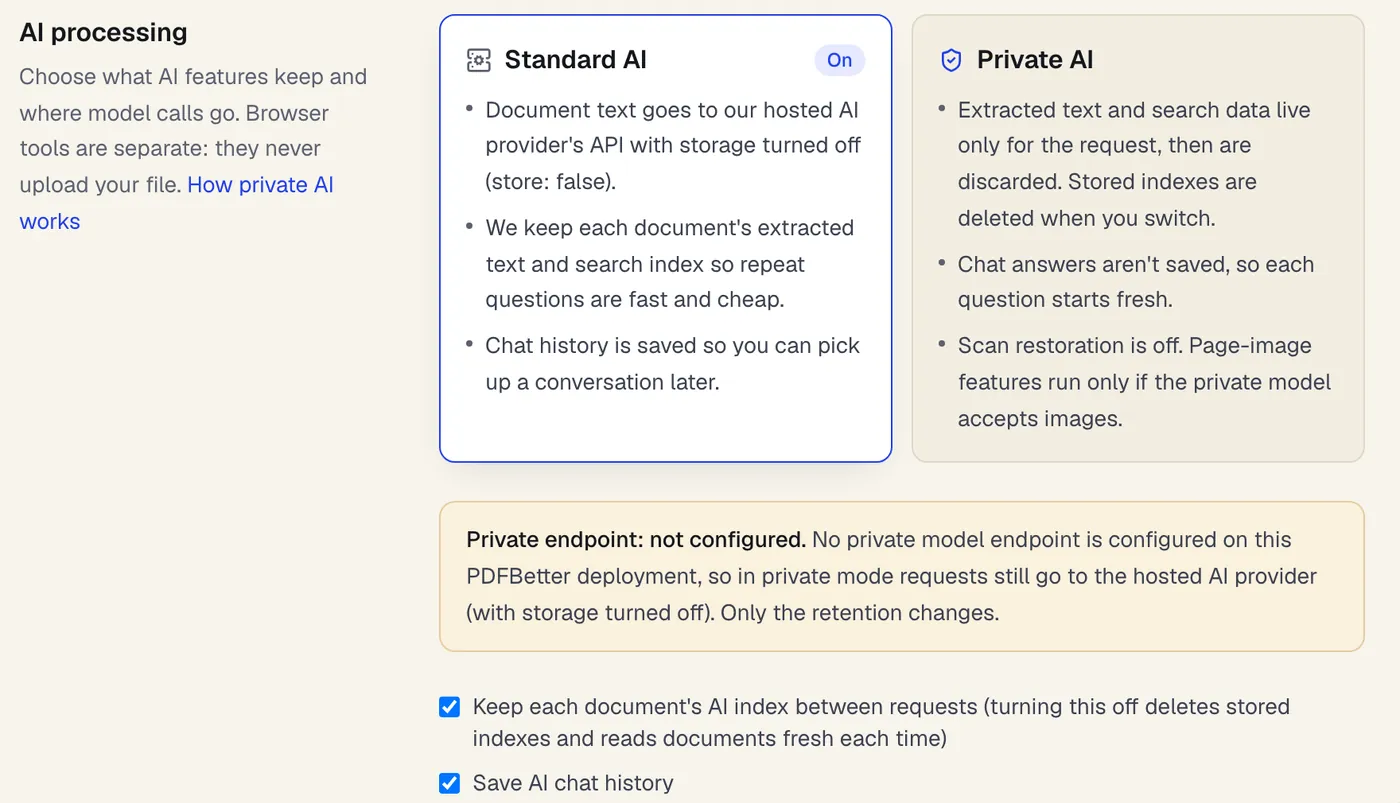
- Private document AITo use AI on confidential documents in PDFBetter, switch Settings → Data & privacy → AI processing mode to Private AI. Private mode reads your document for one request and keeps nothing afterwards: no stored text index, no embeddings, no saved chat. If the deployment's operator has configured their own model endpoint, model calls go there; if not, they go to the hosted AI provider with storage turned off, and the settings page tells you which applies. Tools that run in your browser are more private still, because the file never leaves your device.Beta