
Solutions · Insurance agents and adjusters
PDF workflows for insurance agents and adjusters
Insurance runs on forms you don't control. Carriers issue their own applications, change requests and signature pages; adjusters handle proof-of-loss statements, photo reports and contractor estimates; agencies collect the same client details over and over at every renewal.
Reviewed

The time goes into chasing. A client signs the application but skips the coverage-rejection page. A claim file arrives as forty separate phone photos. A renewal starts with re-asking questions the client answered last year because last year's answers live in an email thread.
PDFBetter fills and signs the carrier PDFs you already have, collects intake and first-notice-of-loss details through a form link, and assembles photos, estimates and statements into one claim file you can share with an expiring link.
Recurring work
5 workflows, each with the tool that does it
- 01
Fill carrier applications and change forms
Open the carrier's PDF, type into its fields, and check every page before sending it on. Existing fields are preserved so the carrier's system can still read them.
- 02
Get every required signature page signed
Place signature and initial fields on each acknowledgment and rejection page, mark them required, and send. The client can't finish with a page skipped.
- 03
Collect intake and loss reports by link
Publish a client intake or first-notice-of-loss form with conditional questions, so a homeowner only sees questions about the type of loss they report.
- 04
Build the claim file
Turn damage photos into PDF pages, add the contractor estimate and the signed statement, put them in order, and compress the packet for the carrier's portal.
- 05
Summarize long policy documents
Ask what a policy says about a specific exclusion and get an answer that cites the page, then read that page yourself before advising the client.
In the app
What one of these looks like in PDFBetter
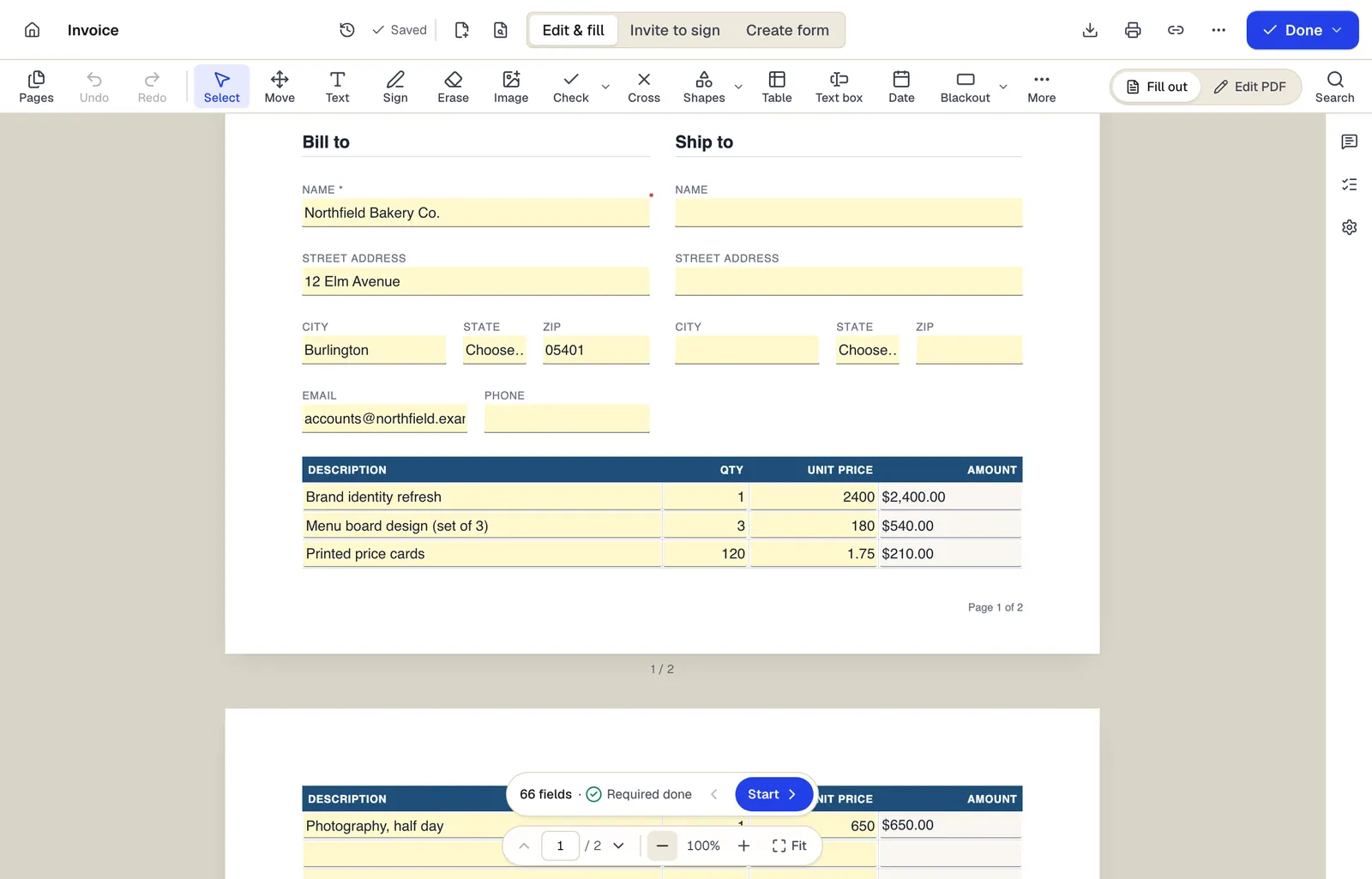
- Edit & fill, Invite to sign and Create form are three modes of the same editor
- Amounts are formula fields: they calculate as you type
- The field navigator counts what's left and jumps to the next field
The editor in Edit & fill mode on an invoice template. Sample content; names and companies are fictional.
Start from a template
Templates for insurance agents and adjusters
Customer intake form
24 fields · 1 page
Fillable new-client intake form for service businesses: contact details, services wanted, project goals, budget, timeline, referral source and contact consent.
Incident report
53 fields · 2 pages
Fillable workplace incident report for injuries, near misses and property damage: people involved, witnesses, treatment, root cause and corrective actions.
General Affidavit
25 fields · 2 pages
General affidavit for sworn statements of fact, with numbered statements, affiant details, oath language and a notary jurat section.
Release of Liability (Activity Waiver)
21 fields · 3 pages
Activity waiver with assumption of risk, release, medical authorization and parent signature for minors. For gyms, classes, rentals and events.
General Durable Power of Attorney
49 fields · 4 pages
General durable financial power of attorney naming an agent and successor, with powers you initial, effective date choice and notary section.
Vendor registration form
37 fields · 2 pages
Fillable vendor registration form: legal name, entity type, EIN, remit-to address, contacts, products, certifications, payment method and signed certification.
Independent Contractor Agreement
32 fields · 3 pages
Contractor agreement covering scope, rates, invoicing, taxes, IP ownership, confidentiality and termination. Fill online and collect both signatures.
Official forms
Forms you'll file
Opened from the issuing agency, so you get the current revision.
Good to know before you rely on it
- Carrier forms and industry-standard forms such as ACORD forms are controlled or licensed documents. Fill the versions you're authorized to use and don't change their wording.
- Electronic delivery and e-signature for insurance are governed by the ESIGN Act's consumer-consent rules and by state insurance regulations, which differ. Confirm what each carrier and your state department of insurance accept.
- Claim files hold medical, financial and identity information. Redact what the recipient doesn't need and share with password-protected, expiring links rather than email attachments.
- Record retention periods for agencies and adjusters are set by state regulation and carrier contracts. Store completed files in your agency management system.
Insurance agents and adjusters: questions people ask
Can I edit a carrier's PDF application?
You can fill its fields and add text or checkmarks. Changing the carrier's printed wording is technically possible but usually not allowed by the carrier.
Can clients upload photos through a form?
Forms include an image field for a photo, which suits one or two pictures. For a full set of damage photos, have the client send them and convert them with JPG to PDF.
Can I send the same renewal form to many clients at once?
Bulk send is part of the Business plan. On other plans, send individual signature requests or generate prefilled copies from a spreadsheet.
Do AI answers replace reading the policy?
No. Answers cite the pages they come from so you can verify them, but they can be wrong or incomplete. Read the cited language before relying on it.