
The agent is built in. Type “redact every SSN” or “merge these three and compress”, and it redacts, fills forms from your saved info, edits text and pages, translates and converts. Nothing changes until you apply it, and one undo takes it back.
Free account · no card, no end date



A services agreement is open in the editor with the AI assistant's prompt box at the bottom. The request “Change the fee to $4,200, fill the client PO number with PO-2210 and add page numbers at the bottom right” is typed in; the assistant shows its steps, then proposes three changes for review (fee text replaced, PO field filled, page numbers added). After Apply changes, the page shows $4,200, PO-2210 and a page number. Then the AI side panel opens, “When are invoices due?” is typed into its prompt box, and the answer “within 30 days” quotes the sentence and links to page 1.
Sample · AI agent
Redact every SSN and add page numbers
- SSN marked for redaction · page 1
- SSN marked for redaction · page 3
- Page numbers on all 4 pages
- A free plan, not a trial
- No card to sign up
- No watermark on downloads
- Browser tools never upload your file
- PDFBetter Pro, AI included
- $120/yr$10/mo, billed yearly
- Acrobat Pro + AI Assistant
- $299.76/yr
Editing text, OCR, Compare and web forms are on PDFBetter’s Free plan. Acrobat puts each of them behind a paid plan.
Adobe’s annual-plan prices from adobe.com, checked October 15, 2026. Full comparison
14-day full refundon your first payment on pdfbetter.com
The AI agent
Just say it. The agent does the work.
Type the job the way you’d ask a colleague. The agent picks the tools, shows each step, and hands back changes for you to approve or a brand-new file.
Try it on your PDFRedact every SSN
- Looked for Social Security numbers on every page
- Marked 2 matches for redaction
2 proposed changesNothing is saved until you apply it.- SSN marked for redactionp. 1
- SSN marked for redactionp. 3
Apply, then Apply redactions removes the text for good: the page is rebuilt without it, then checked.
Fill this with my info
14 proposed changesFilled from My info. Check, then apply.- Name, address, email, phone, date of birth…
Merge these three and compress
- Merged 3 documents
- Compressed the result
Merged documents.pdfNew file · 12 pages · 2.1 MBThe three originals are unchanged.
Translate page 2 into German
1 proposed changeFitted into the same text boxes; layout is approximate.- Page 2 translated into Germanp. 2
Add page numbers and a DRAFT watermark
2 proposed changesNothing is saved until you apply it.- Page numbers on every page
- “DRAFT” watermark on every page
Convert this to Word
Agreement.docxNew file · editable Word documentYour PDF stays as it was.
Illustrations with sample documents: counts, names and file sizes are examples, not results. Requests start at 1 AI credit and longer ones use more; translation, OCR and conversions also use their usual allowances.
Why AI-native
AI-native, not an add-on.
In PDFBetter the AI isn’t a side panel next to the editor. It’s how you work: tell it the job, check what it did, apply.
One box for every job
Type the request in the editor or on your dashboard, and soon in the Chrome extension. No menus to hunt through.
You approve every change
Edits come back as a list, page by page. Apply them as one step; one undo takes them all back.
Originals stay untouched
Merge, split, compress, convert and OCR create new files. The ones you started with don’t change.
Fills forms from My info
Save your details once, then say “fill this with my info”. ID numbers, bank and card numbers and passwords are never stored.
Works across documents
Pick several files from your library: merge them, or pull pages from one into another, in a single request.
Answers cite the page
Ask anything about a document: the answer names its page, and quotes from the text are checked word for word.
On the Free plan too
Every account gets AI credits, Free included (20 a month). A request starts at 1 credit, more for longer jobs; translation, OCR and conversions use their own allowances.
Private AI mode
Turn it on in Settings on any account: nothing derived from your documents is kept after a request, and chats aren’t saved.
When is the fee paid?
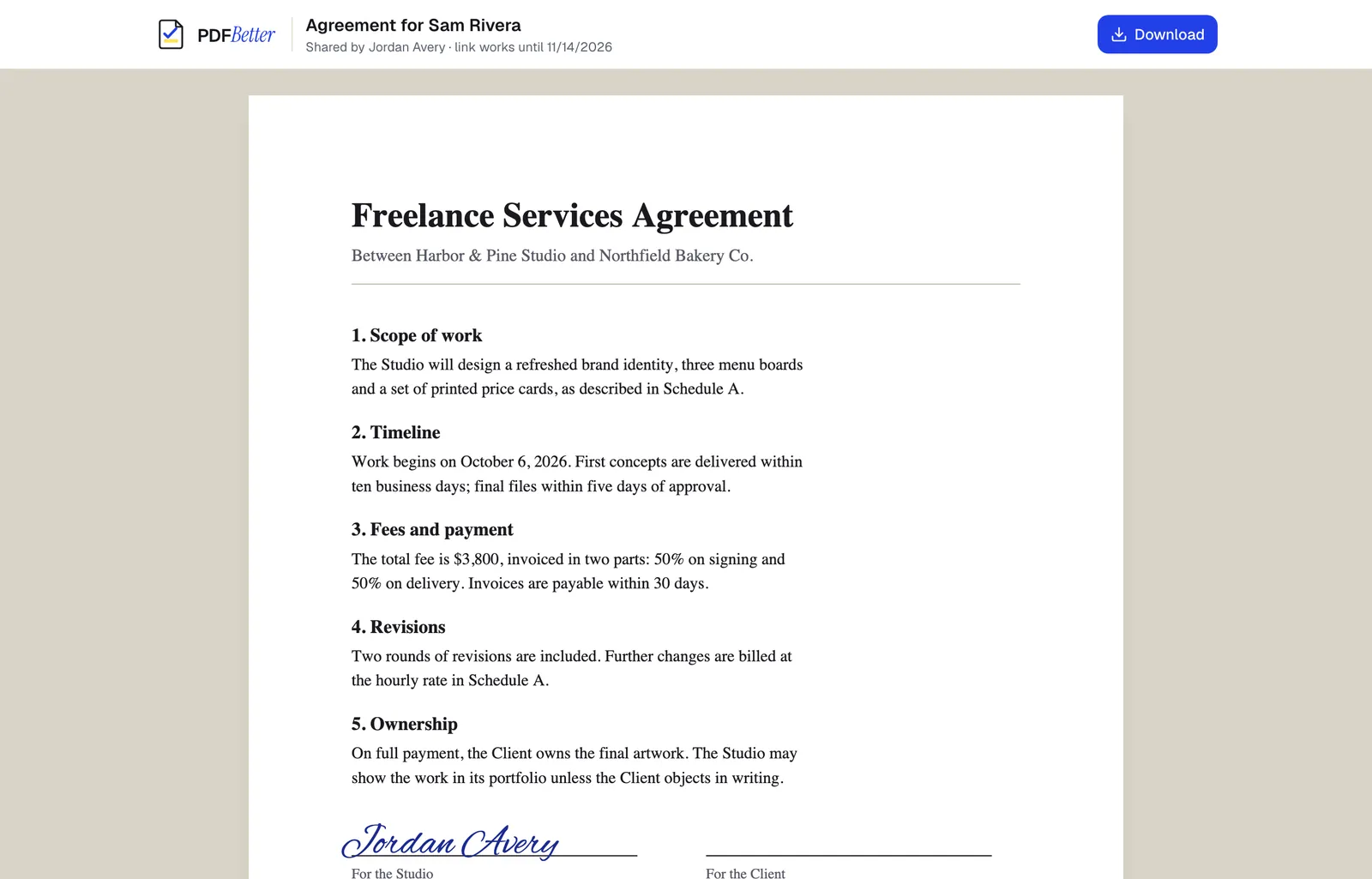
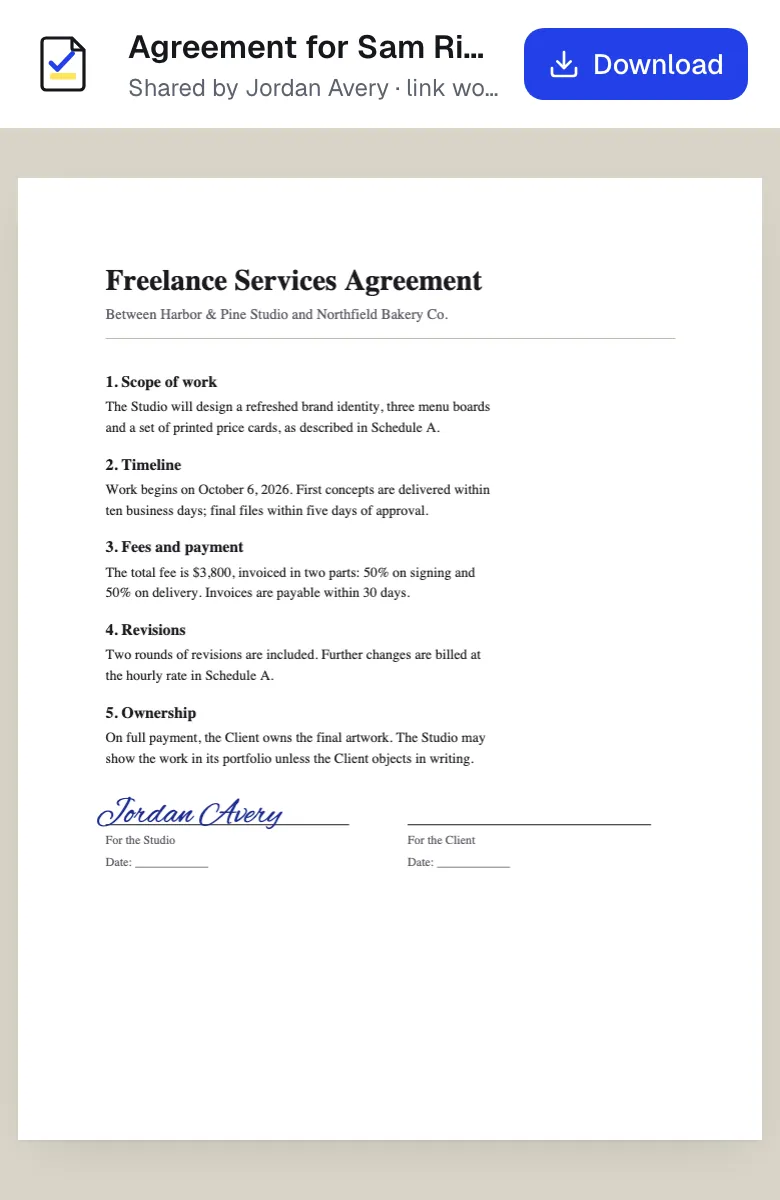
The $3,800 fee is invoiced in two parts: 50% on signing and 50% on delivery, payable within 30 days 1.
1Freelance services agreementp. 1 quote found on the page
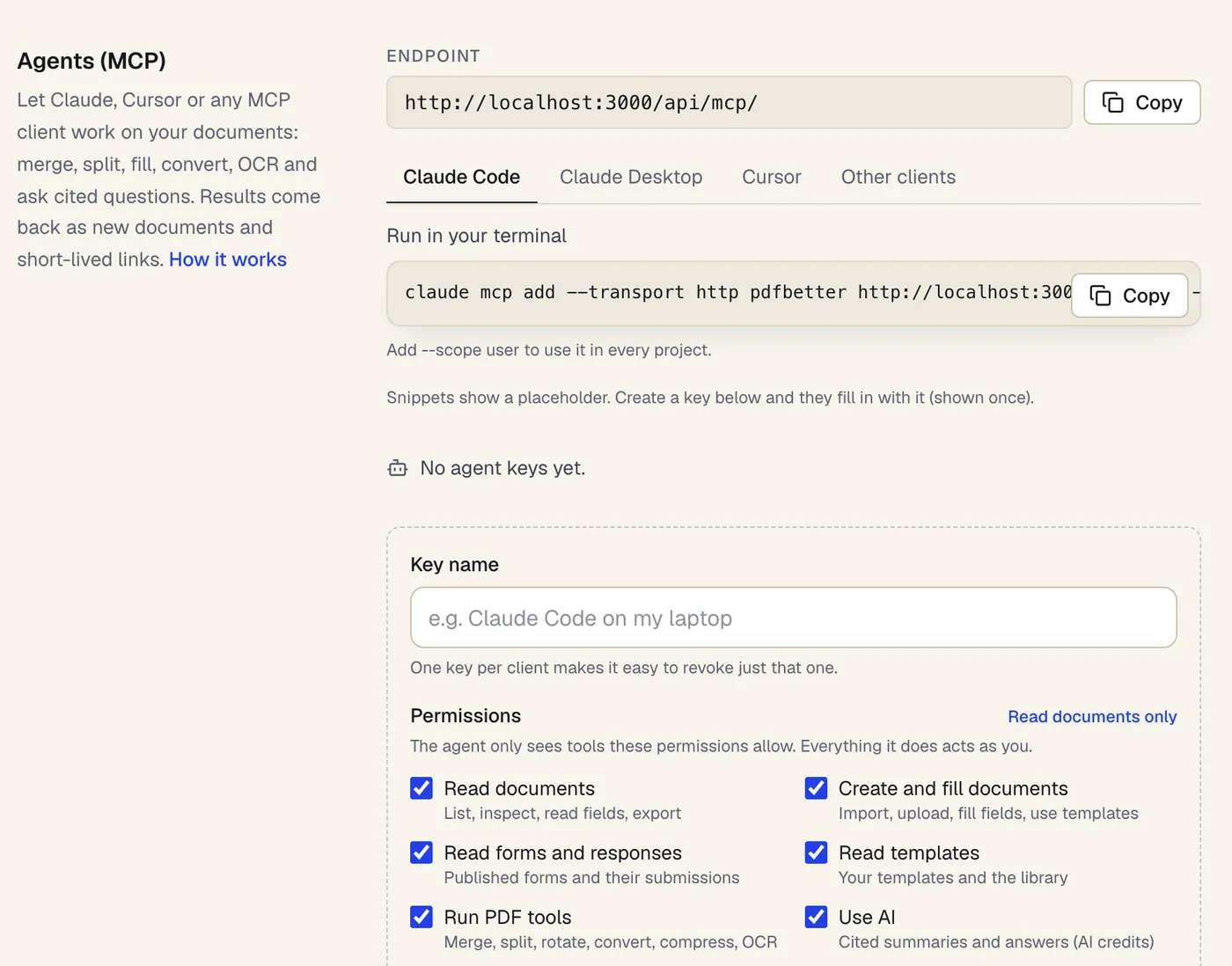
Let an agent do the PDF chores — through the same rules and allowances as the app.
Connect ChatGPT, Claude, Cursor or another MCP client- PDFBetter MCP serverTo connect ChatGPT, Claude, Cursor or another AI agent to your PDFs, use PDFBetter's remote MCP (Model Context Protocol) server at…
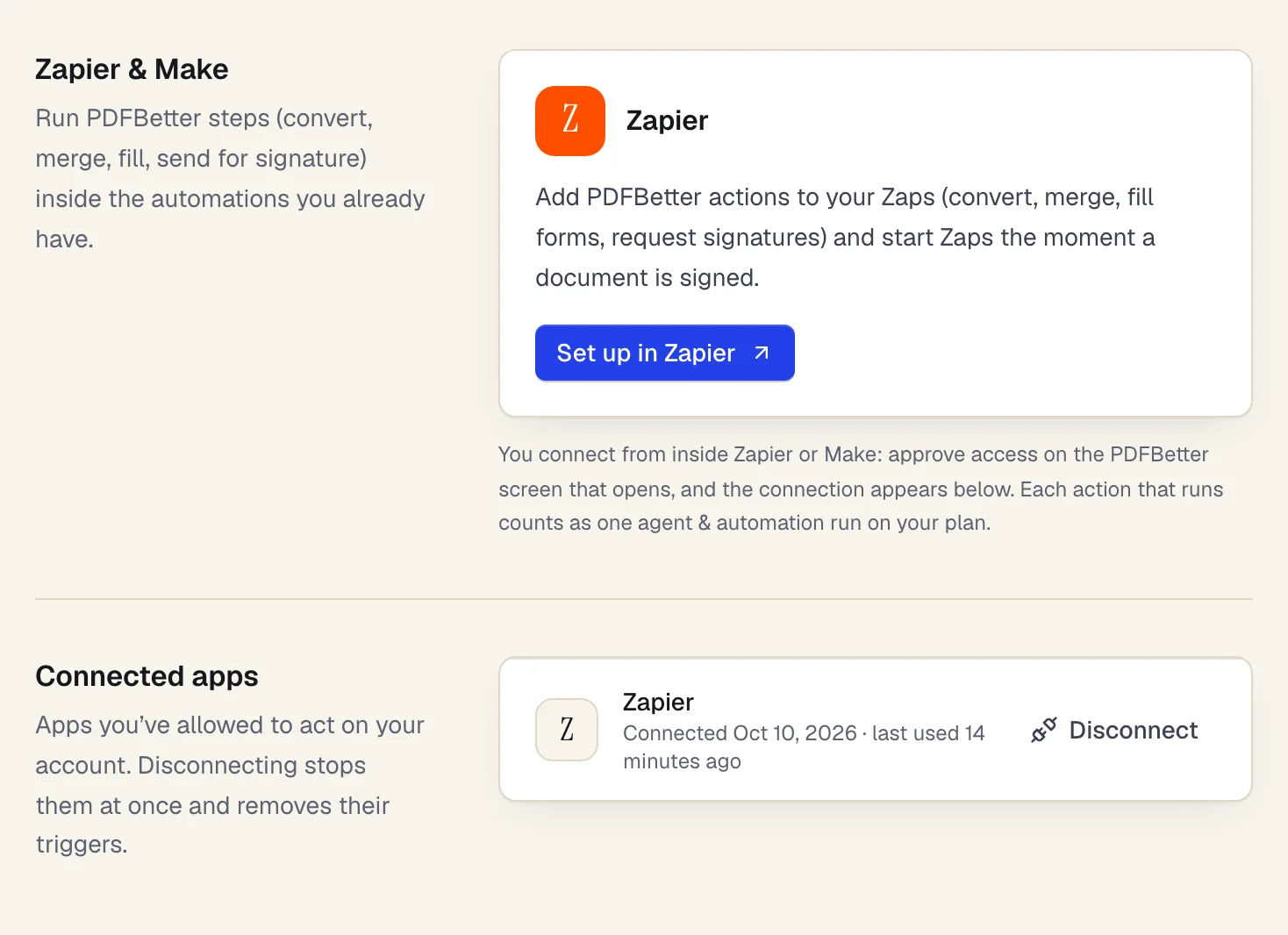
- PDFBetter for ZapierTo use PDFBetter in Zapier, open Settings → Integrations in PDFBetter, click Set up in Zapier, add a PDFBetter step to a Zap and click…
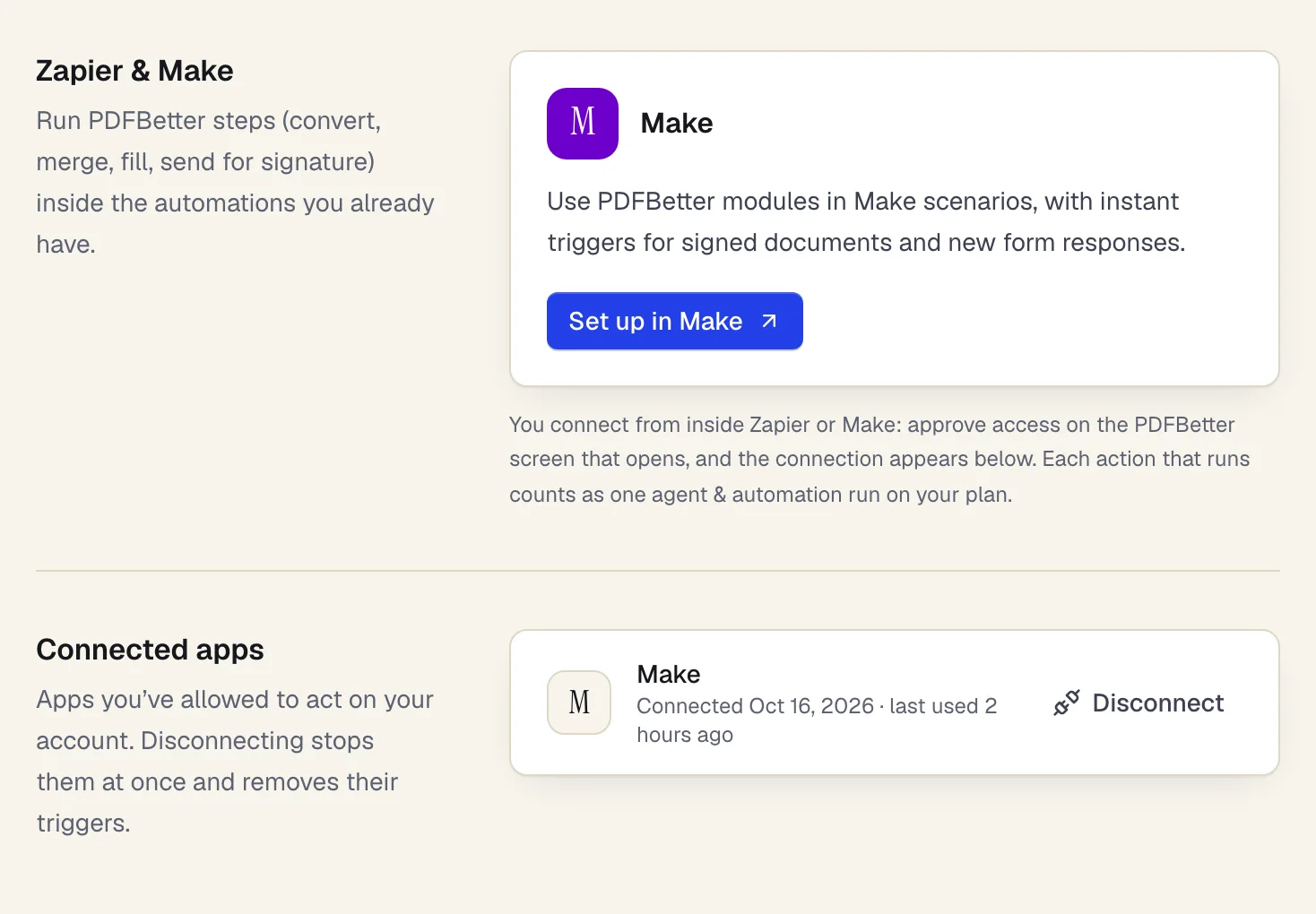
- PDFBetter for MakeTo use PDFBetter in Make, open Settings → Integrations in PDFBetter, click Set up in Make, add a PDFBetter module to a scenario and…
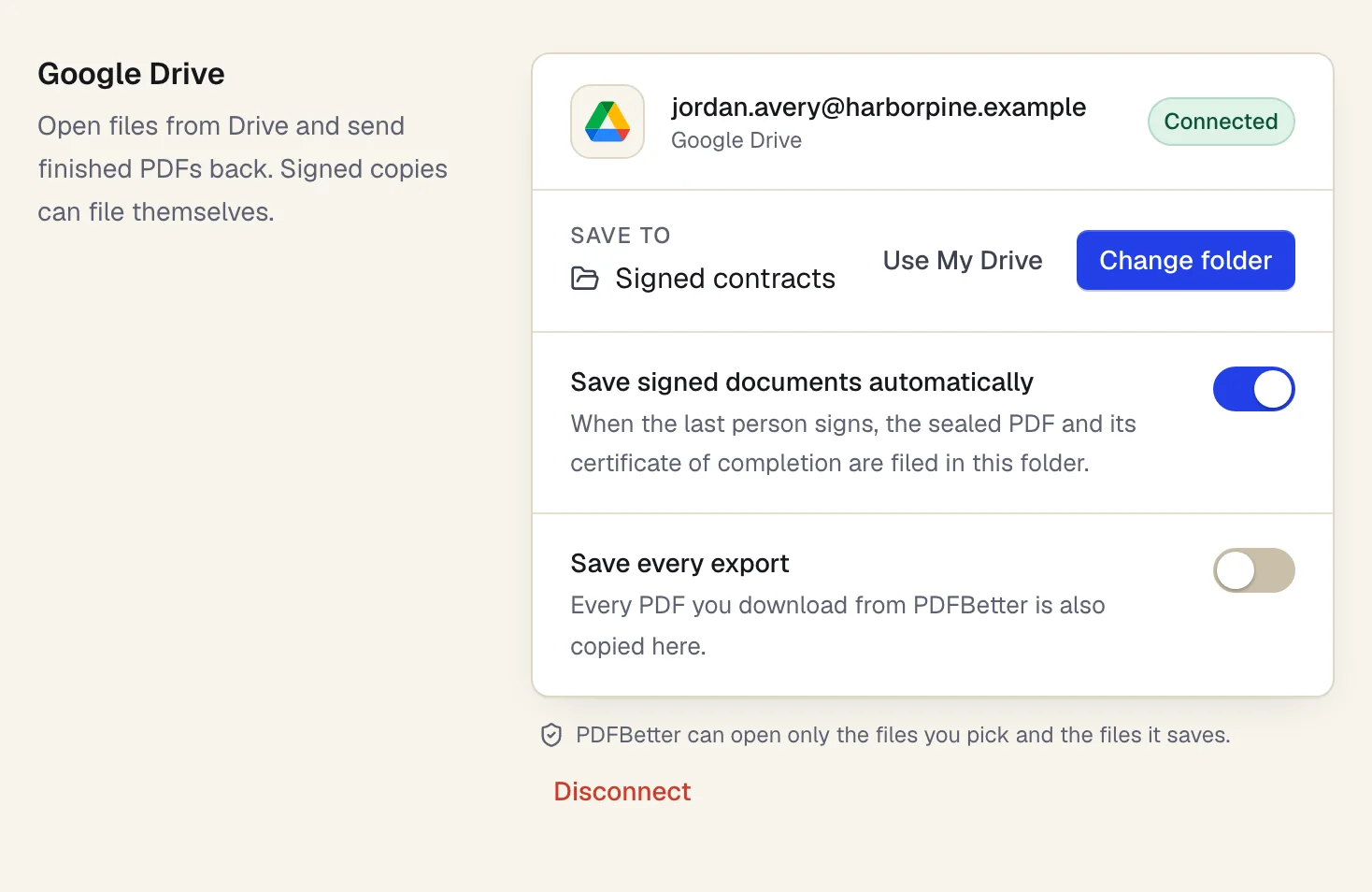
- PDFBetter for Google DriveTo use Google Drive with PDFBetter, go to Settings → Integrations, click Connect Google Drive and choose a folder.
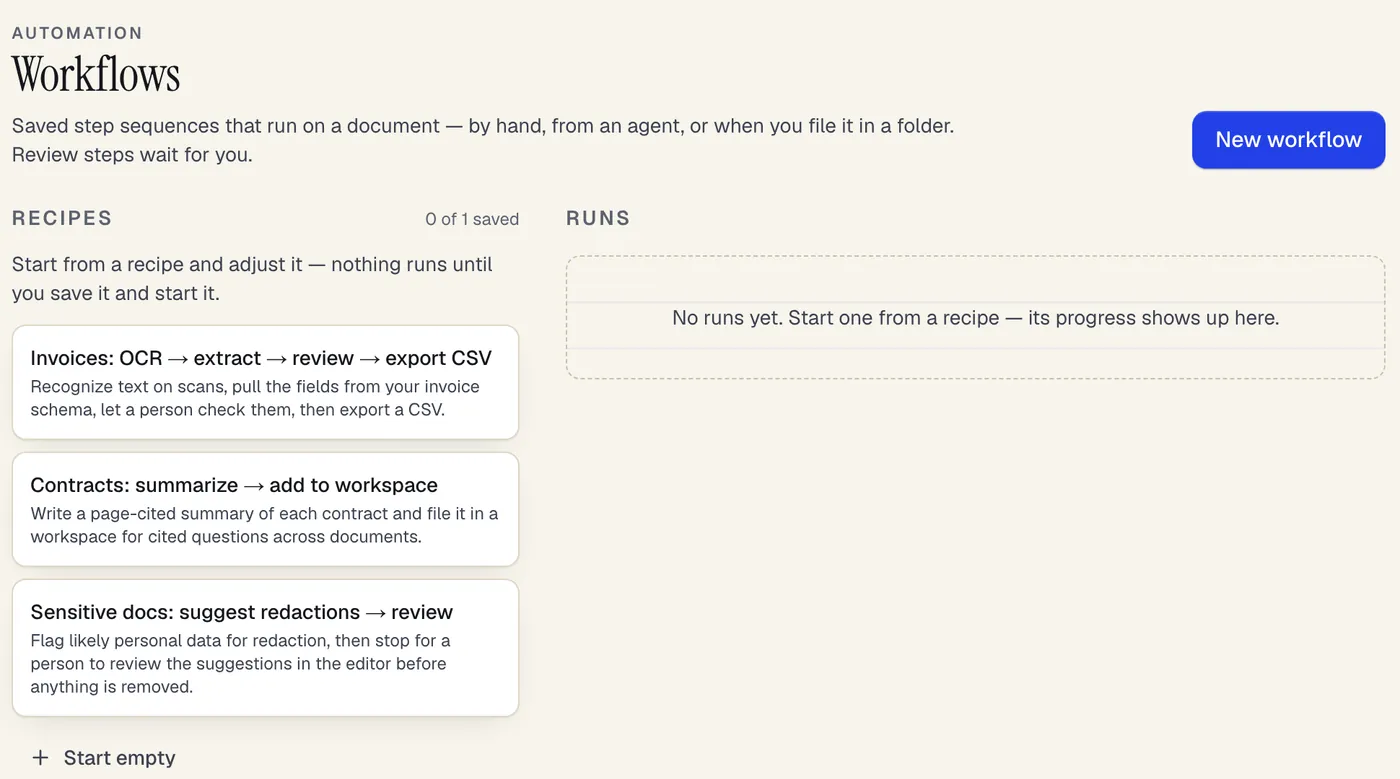
- Workflow recipesTo automate PDF processing in PDFBetter, save a workflow: a repeatable sequence of steps such as recognize text (OCR), extract invoice…
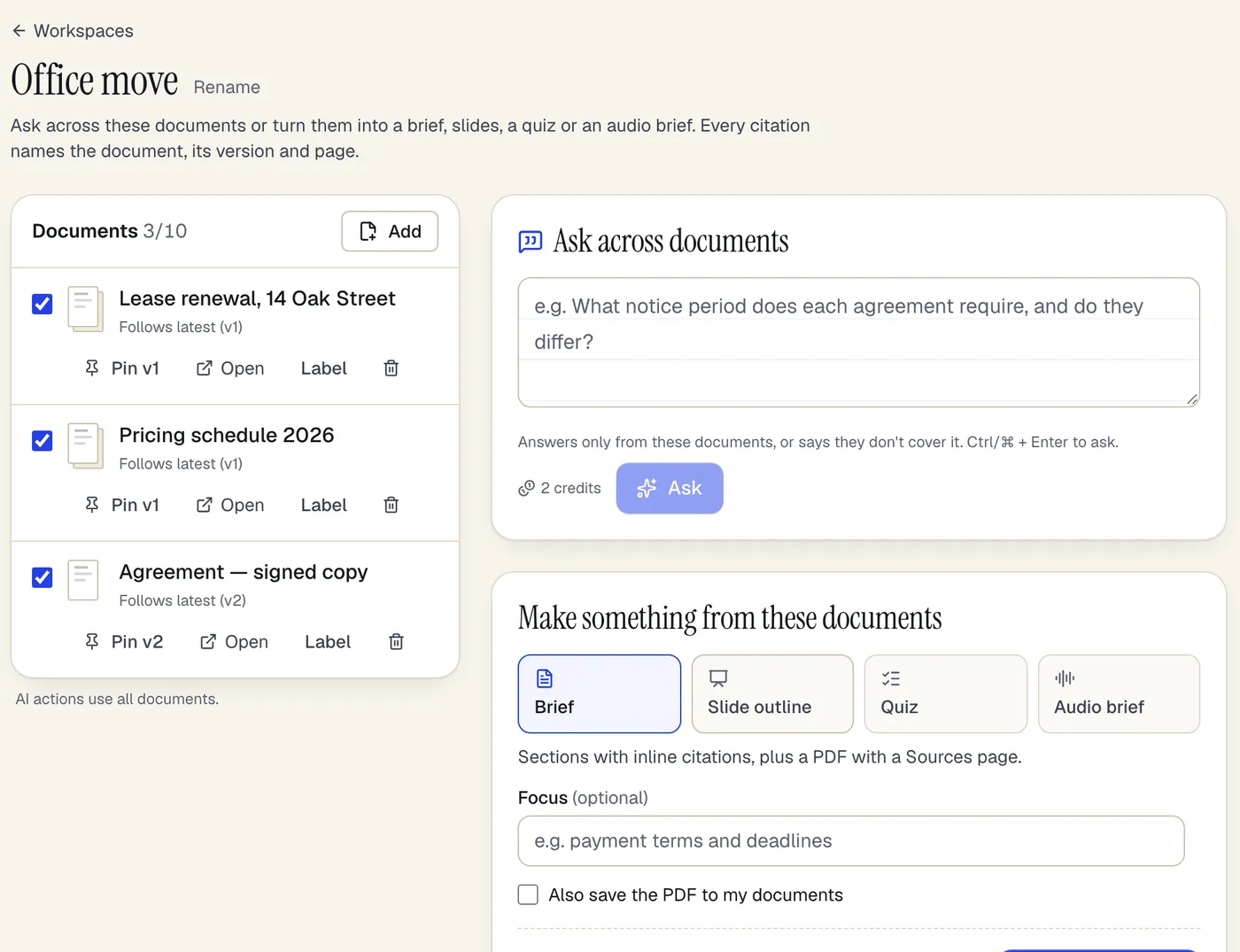
- Document workspacesTo ask questions across multiple PDFs, put them in a PDFBetter document workspace and ask in plain language.
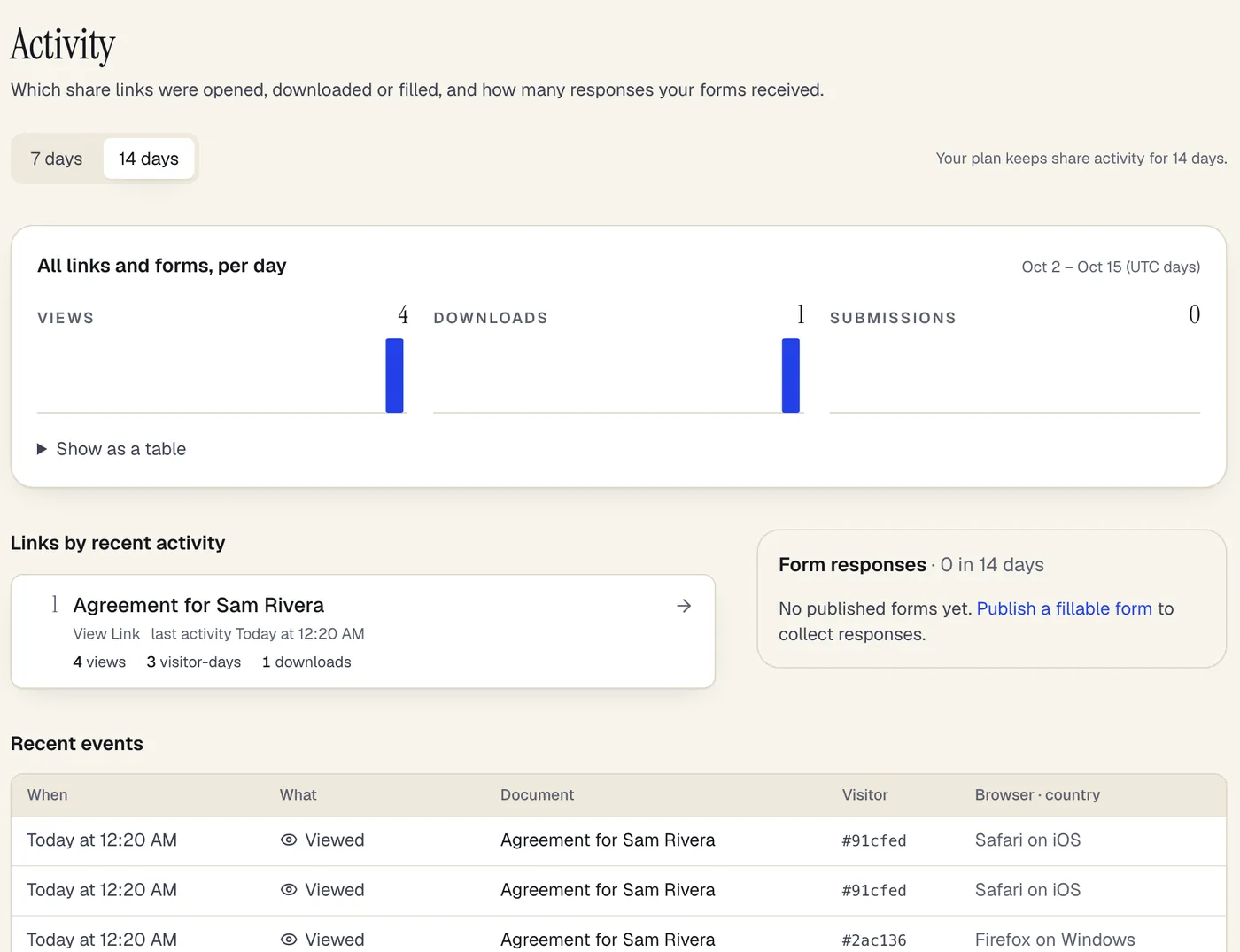
- Document share analyticsTo see who opened a PDF you shared, create the link in PDFBetter's Share dialog and open Activity: it shows, per link and per day, when…
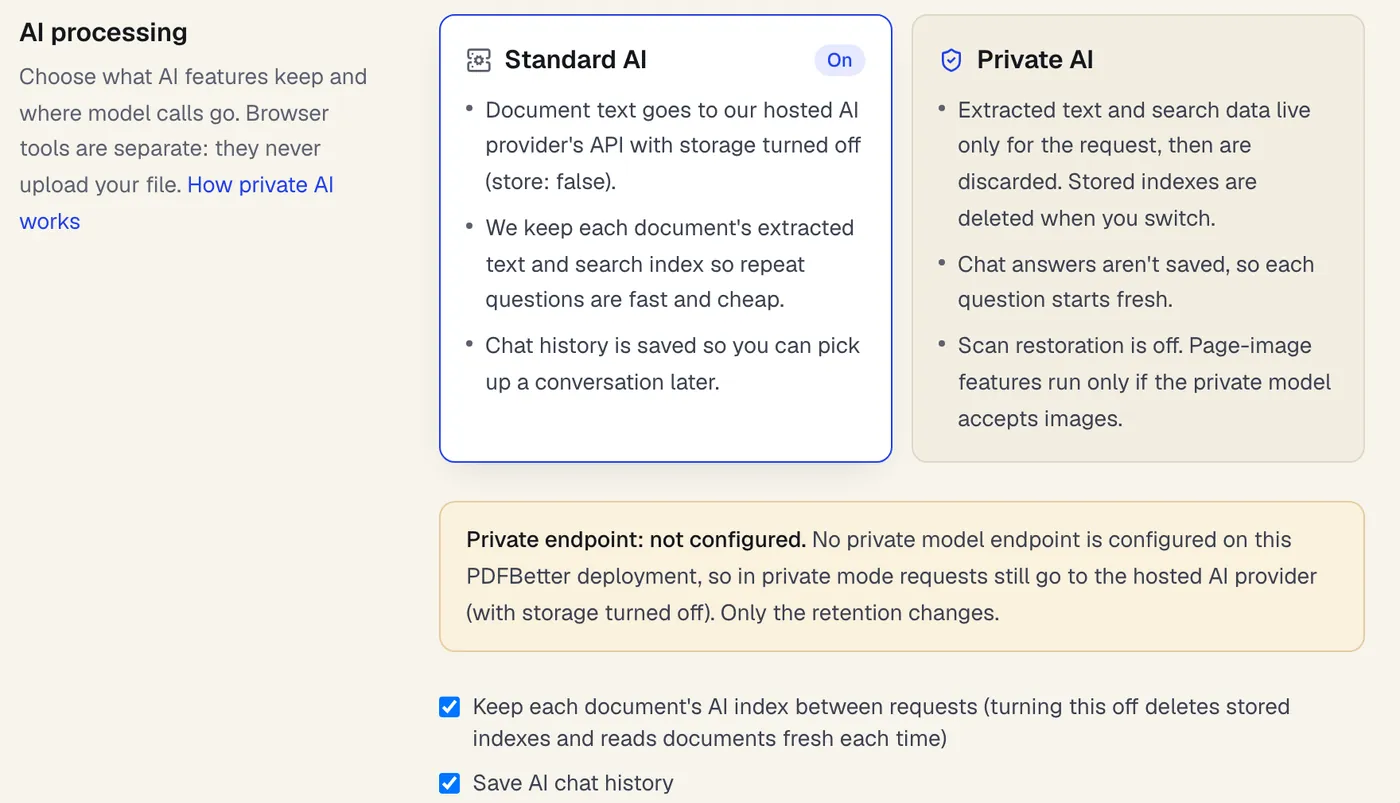
- Private document AITo use AI on confidential documents in PDFBetter, switch Settings → Data & privacy → AI processing mode to Private AI.
Start with the task
What do you need to get done?
- Edit PDFClick the words you need to change, type the correction, and download a PDF that looks like the original with your fix in place.
- Fill PDFOpen the form, move through every field with Tab, fill it in, and download a completed PDF that keeps or locks your answers.
- Sign PDFCreate your signature once, click the signature line to place it, add initials or a date, and download the signed PDF.
- Request signaturesAdd the people who need to sign, place each person's fields, send, and get the completed PDF plus a certificate of completion when everyone is done.
- Merge PDFDrop in two or more PDFs, set the file and page order, and download one combined PDF.
- Compress PDFUpload a PDF, choose how hard to compress its images, and download a smaller file with the text and form fields untouched.
- PDF to WordGet an editable DOCX from a PDF, including scanned pages when OCR is on.
- Bank statement converterDrop in one or more statement PDFs, check the reconciliation, fix anything flagged, and download the transactions in the format you need.
One editor, four modes
Everything you'd print it for — done on screen.
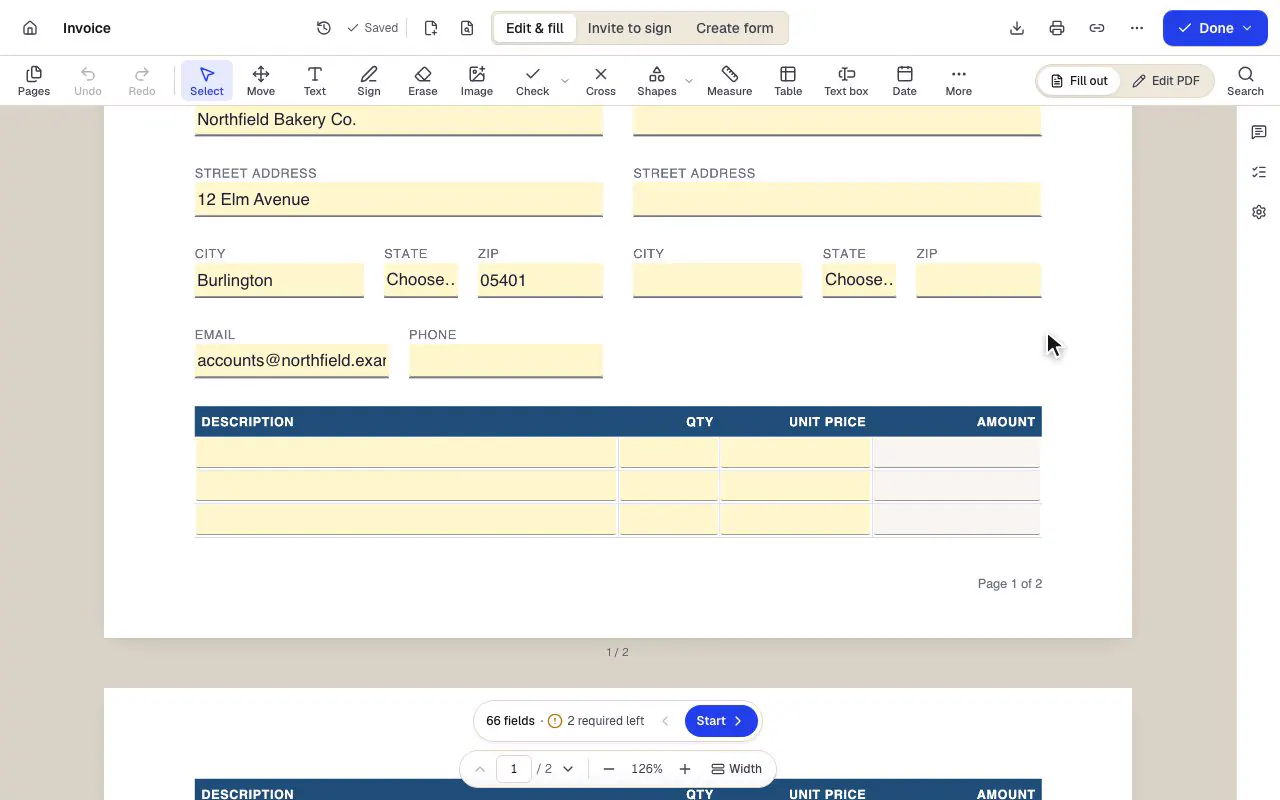
Line items are typed into an invoice template — a description, a quantity and a unit price — and the amount for each row calculates as the numbers are entered.
Fill any form, even a flat one
Type into fields, tick boxes and add dates. Totals in our templates calculate as you type.
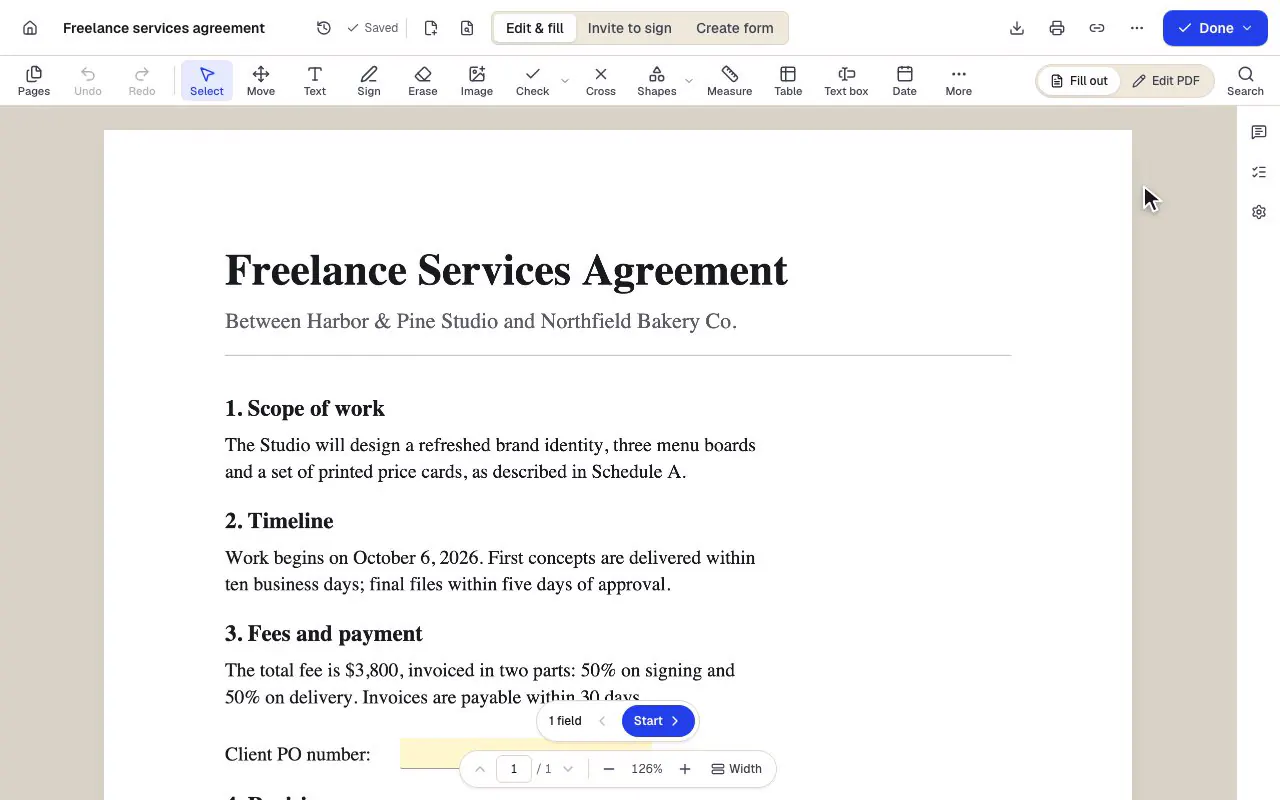
- Edit & fill, Invite to sign and Create form are three modes of the same editor
- Amounts are formula fields: they calculate as you type
- The field navigator counts what's left and jumps to the next field
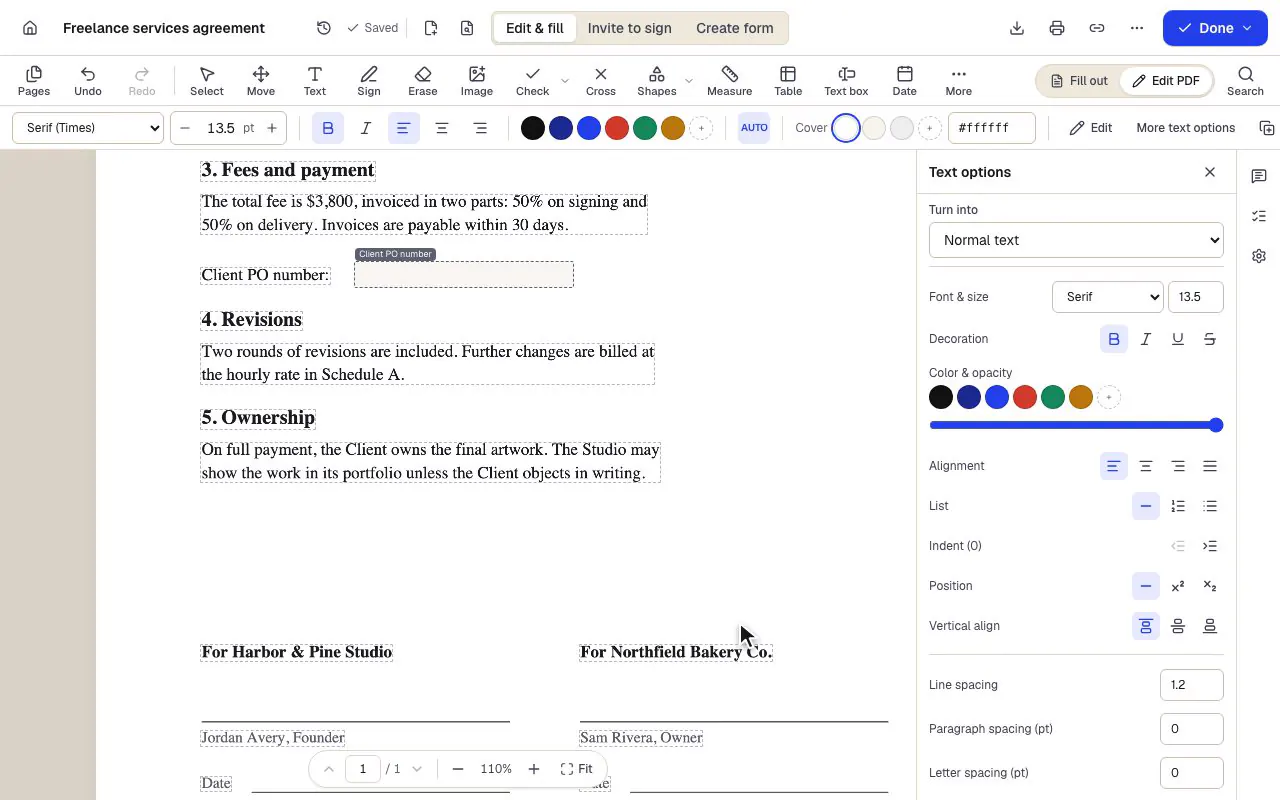
In Edit PDF mode a word in an existing paragraph of the agreement is selected and retyped; the paragraph keeps its original font and size.
Change the words already on the page
Click a paragraph of the original and retype it in the detected font.
- Existing text becomes editable paragraphs, not just lines
- The detected font and size are kept — here Times at 11.5 pt
- Switch between filling fields and editing the page itself
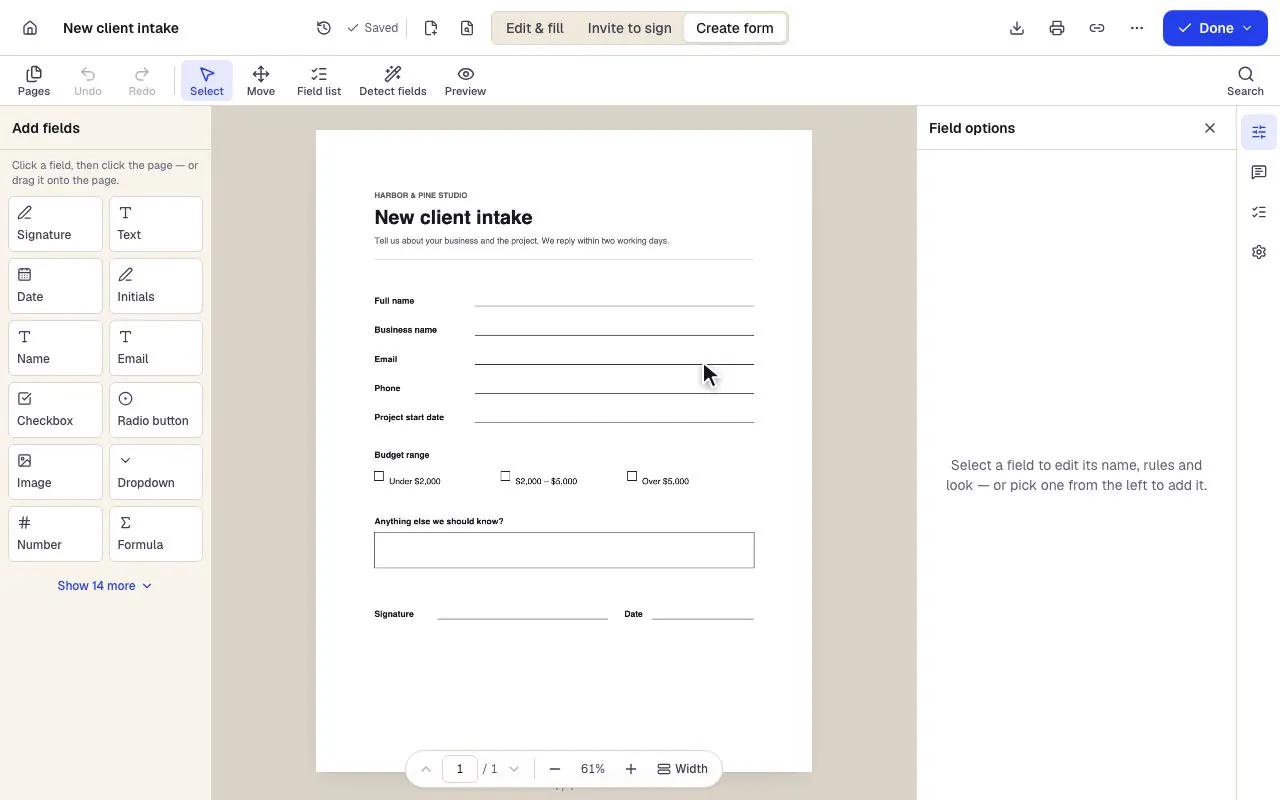
A flat client intake sheet is opened in Create form mode; Detect fields finds the blanks, boxes and signature line and adds them as form fields.
Turn any PDF into a fillable form
Place fields by hand, or detect the boxes and lines on a flat page.
- Pick a field type, then click the page — or drag it
- Detect fields finds the boxes and lines on a flat PDF
- Every field keeps a label, a name and its own rules
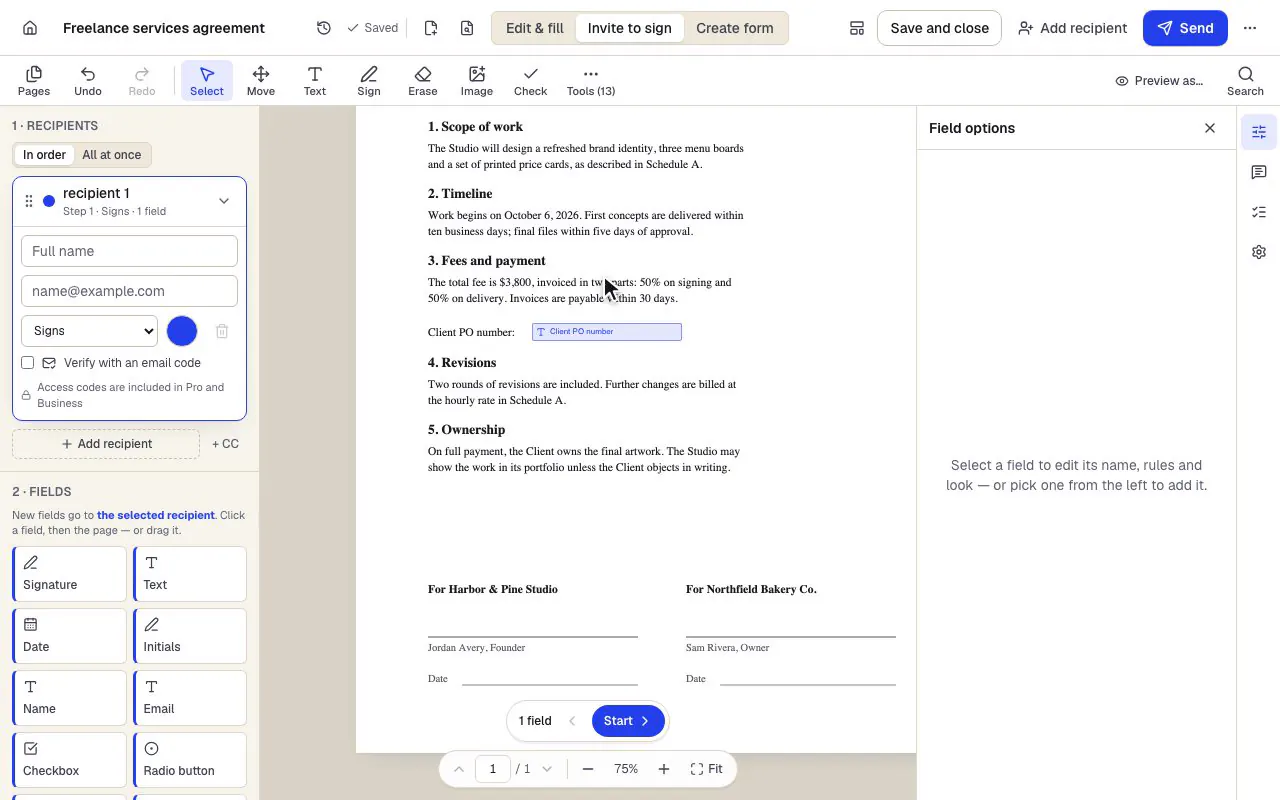
In Invite to sign mode a signer is added by name and email, then a signature field and a date field are placed on the client's signature line in that signer's color.
Send it to be signed, in order
Add signers, give each one their fields, and send with reminders.
- Recipients sign in order, or all at once
- Fields take the color of the person who fills them
- Fields go to the selected recipient
Screens from the current app, with sample documents. Names and companies are fictional.
By industry
Built for the way your industry works
Contractors measure plans, law offices stamp Bates numbers, clinics send intake forms. Pick your line of work to see the tools it reaches for most.

Construction
Send estimates and change orders for signature from the job site, fill lien waivers and safety checklists, and assemble daily logs with photos into one PDF.
PDFBetter for ConstructionArea
1,240 ft²
- Perimeter
- 148 ft 6 in
- Scale
- 1/4" = 1'-0"

Legal
Redact filings, OCR scanned exhibits, compare drafts and collect client signatures on engagement letters. Built for small firms without a document team.
PDFBetter for LegalHARLOW000123
HARLOW000123 – HARLOW000148
2 redactions applied

Healthcare
Intake forms, consents and records-release requests for small practices. A plain account of what PDFBetter can and can't do around HIPAA, including BAAs.
PDFBetter for Healthcare- Patient nameDana Whitfield
- Date of birth04/12/1986
- AllergiesPenicillin
- Consent to treatmentD. Whitfield

Real estate
Fill association forms, collect buyer and seller signatures, and build transaction packets that pass broker review. Built for agents who live in PDFs.
PDFBetter for Real estate- Maya OrtizBuyerSigned
- Leo BrandtSellerSigning now
- Priya ShahListing agentWaiting
1 of 4: Construction
E-signatures
Their own key, on their own device. Sealed when done.
Every signer signs with their own cryptographic key, created in their browser and never leaving their device. Every completed PDF is digitally sealed and independently time-stamped, with the evidence built into the file, so changing one byte shows. Send in order with reminders, and require an emailed code on any plan.
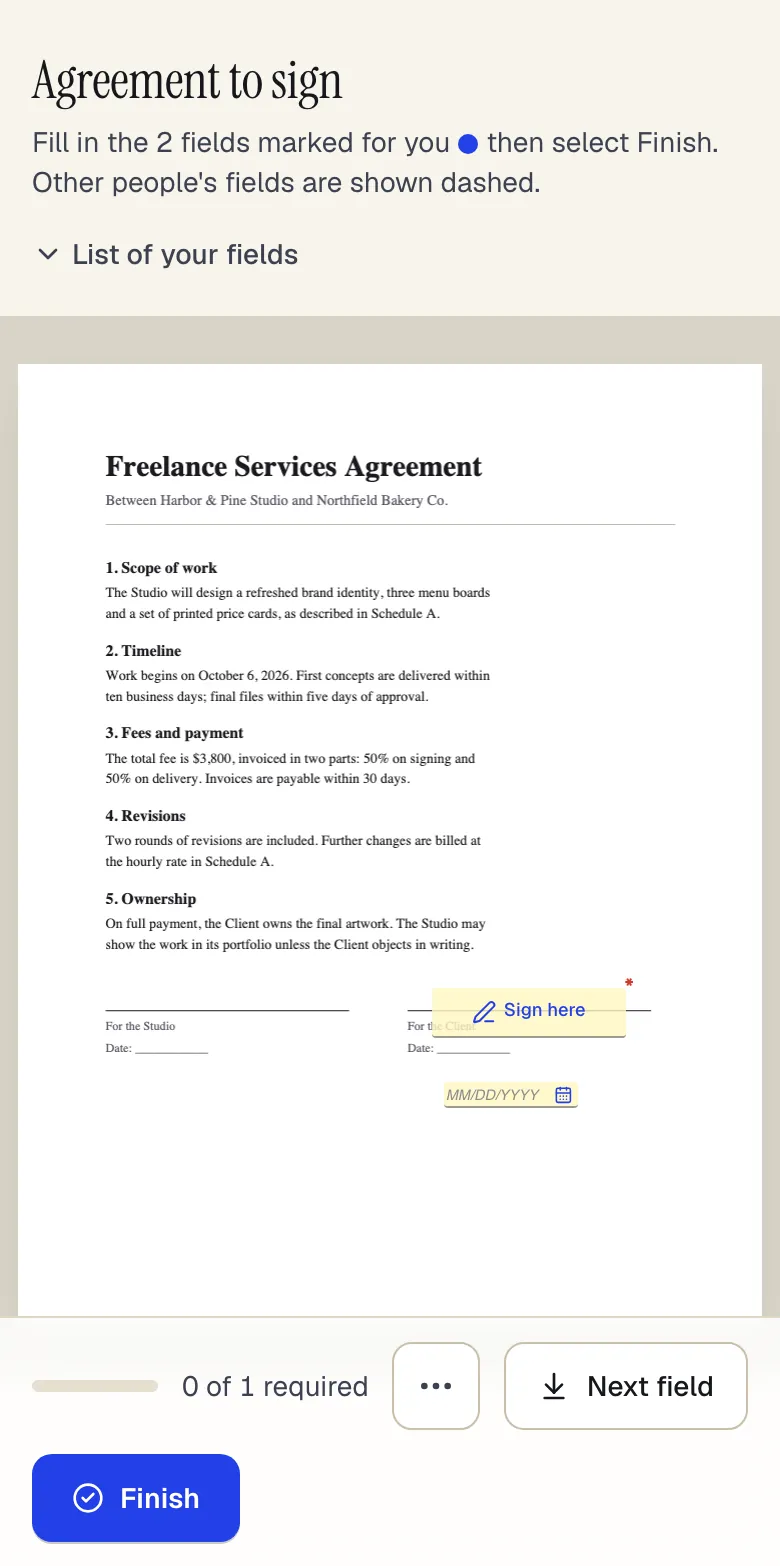
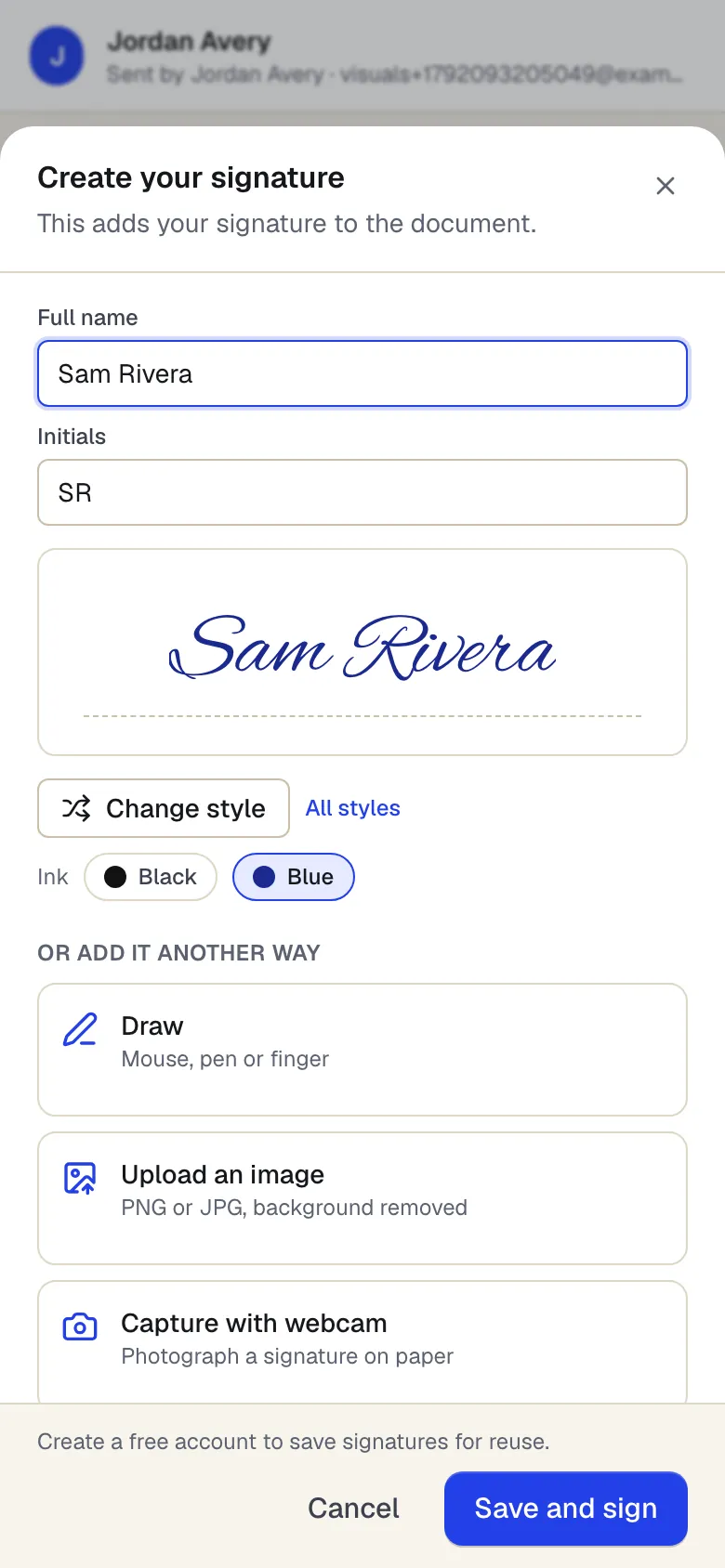
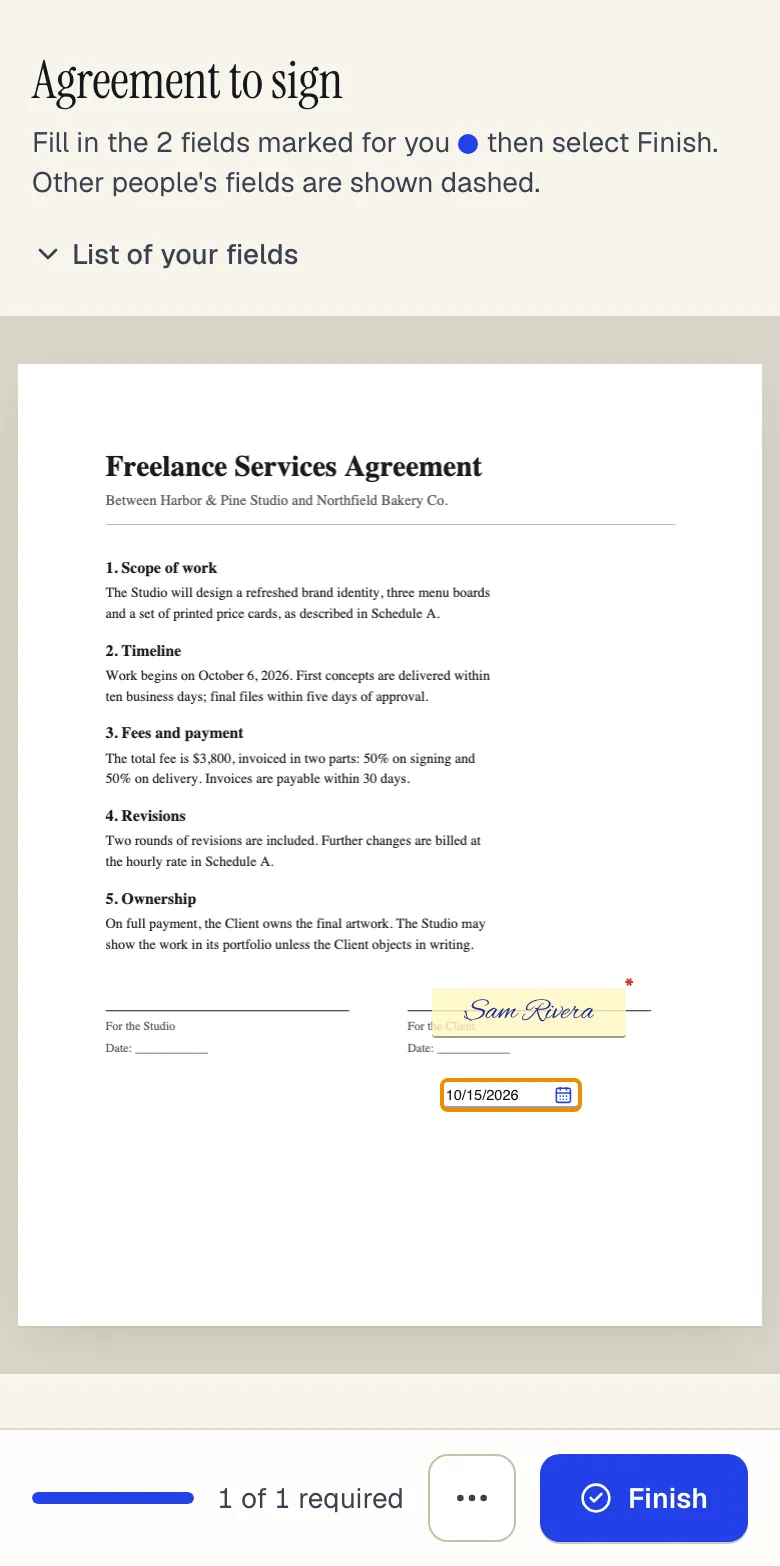
Request signatures Sign it yourselfIs it legal where you are?
Forms & sharing
Publish a form. Share a link. See who opened it.
Turn a PDF into a form people fill from a link, export the responses, or share a read-only copy with an expiry and a password. Still need a fax? Send it to any US or Canadian number from the same place. The free plan includes 50 form responses a month.
Integrations
Plug every PDF into the 9,800+ apps you already run on.
Fill, sign, convert and read PDFs automatically between your CRM, inbox, forms, storage and accounting. One click to connect, no code, on every plan.
- apps through Zapier and Make
- 9,800+apps through Zapier and Make
- PDF actions in every Zap
- 16PDF actions in every Zap
- instant triggers
- 4instant triggers
- click to connect
- 1click to connect

























Proof you can run
Don't take our word for it. Check it.
You won't find star ratings or customer quotes here that we can't back up. Each claim comes with a test you can run yourself in about 30 seconds.
52changes shipped in the last 30 days, each one listed in the public changelog.
Read the changelogListed where you can look us up
Every answer names its page.
Try Chat with PDF30-second test
Open Chat with PDF on any document and ask a question. Click the page chip in the answer: the document jumps to that page. Hover the chip to read the exact quote, which was matched word for word against the page before you saw it.
Pages that are only images, such as photos and scans without OCR, are cited by page, without a quote.
Browser tools never upload your file.
Open Merge PDF30-second test
Open your browser's developer tools on the Network tab, then merge two PDFs. The merged file downloads, and no request carries your documents.
A signed PDF carries its own evidence.
Request a signature30-second test
Send a signature request to yourself and sign it. Open the completed PDF's signature panel in a PDF reader: the PAdES seal and its RFC 3161 time-stamp are listed there. The Free plan includes 3 requests a month.
The seal certificate comes from PDFBetter's own certificate authority, which is not on Adobe's trust list yet, so Acrobat shows the signer identity as not verified; change detection still works. The time-stamp is added whenever the time-stamping authority is reachable.
Every limit is on one page. Nothing is pre-ticked.
See every limit30-second test
Open the pricing page: every plan's allowances sit in one table. At checkout the plan you picked is the only item, and you cancel from the billing page in your account.
Templates & official forms
Start from a page that's already right.
Original fillable templates with totals that calculate, and government forms opened fresh from the issuer's website.
- InvoiceInvoices · 82 fields · 2 pages
- Sales receiptReceipts · 57 fields · 2 pages
- EstimateEstimates & quotes · 67 fields · 2 pages
- Purchase orderPurchase orders · 104 fields · 3 pages
- TimesheetTimesheets · 99 fields · 2 pages
- Expense reportExpense reports · 107 fields · 2 pages
- Monthly budgetBudgets & financial statements · 89 fields · 2 pages
- General bill of saleBills of sale · 32 fields · 2 pages
Apps
Take PDFBetter to your desk and your pocket
Desktop apps for Mac and Windows, a Chrome extension, and apps for iPhone, iPad and Android. Same account, same documents.





How-to guides
Stuck on a step? The answer is here.
127 help articles across 13 topics, written from how PDFBetter actually works, including what it doesn't do yet.
- Getting started 6 steps 2 minQuick start: fill and sign your first PDF in 5 minutes
- Open the PDF
- Fill the fields
- Tick boxes and add the date
- Create your signature
- Place it
- Request signatures from other peopleeSignatures 6 steps 2 min
- Fill out a PDF formForms & fillable PDFs 6 steps 3 min
- Make a PDF fillable by adding form fieldsForms & fillable PDFs 7 steps 2 min
- Edit the existing text in a PDFEditing & annotating 4 steps 3 min
Free account
A real free plan. One click to start.
Create your account with Google or Apple, or with email. Your documents, signature requests and forms stay together on the web, Mac and Windows.
- 3 downloads a month, no watermark
- 3 signature requests a month, sealed and time-stamped
- Text editing, OCR and Compare included
- 20 AI credits a month; answers cite the page
- Your files kept in your account (guest drafts are deleted after 1 hour)
Create your free account
No card. No end date. Upgrade only if you need more.
Already have an account? Log in
Questions people ask
Do I need an account to use PDFBetter?
No. You can open any tool and do the work without signing up. Browser tools such as merge, split and rotate download without an account. For edited documents, a free account is needed to download, share or send — your draft is kept while you sign up.
What does the free plan include?
3 edited-document downloads, 3 signature requests, 50 form responses, 20 AI credits and 20 OCR pages each month, with files up to 10 MB. Downloads have no watermark.
Is it safe to upload confidential documents?
Files are stored privately per account and are only reachable through short-lived signed links. Guest drafts are deleted 1 hour after they're created. Tools marked “In browser” never upload your file at all. The security page explains storage, deletion and access in detail.
Are signatures made with PDFBetter legally valid?
In the United States, the EU, the UK and many other places, electronic signatures are generally valid for most business documents, with exceptions such as wills. With PDFBetter, every signer signs with their own cryptographic key, and every completed PDF is digitally sealed and independently time-stamped, with consent, timestamps and a tamper-evident audit trail built into the file. Our legality pages summarize the law by country — they are not legal advice.
Can I edit the existing text in a PDF?
Yes. Click a line of text to replace it; PDFBetter covers the original and retypes your change in the closest matching font. Fonts embedded as subsets can't always be matched exactly, and the page tells you when that happens.