
Add radio buttons to a PDF
Group options so only one can be selected, give each option a value, and download a PDF form that enforces a single choice.
Drop a PDF hereLet go to start
or paste with Ctrl/⌘+V
Start without an account. A free account includes 3 edited-document downloads a month. See plans
What it does
Add radio buttons to PDF, explained
To add radio buttons to a PDF, place one radio field per option and put them in the same group; choosing one option automatically clears the others, so exactly one answer is recorded. PDFBetter's fields panel creates the group for you as you add options.
Read more
Use radio buttons for mutually exclusive questions: Yes/No, Male/Female/Prefer not to say, Payment monthly/quarterly/annually, Contact by phone/email/text. If several answers may apply (“Which services do you need?”), use checkboxes instead. If there are more than six or seven options, a dropdown takes less space.
Every button has an export value — the text recorded when it is chosen, such as “annual” — while the group has one name, such as billing_frequency. That pair is what appears in exported responses and what a spreadsheet maps to when filling the form in bulk. Mark the group required to make sure someone picks an option before submitting.
Radio buttons stay interactive in the downloaded PDF, so they work in Acrobat Reader, Preview and browser viewers. In PDFBetter's published forms, a required group also blocks submission until something is chosen.
In the app
What it looks like
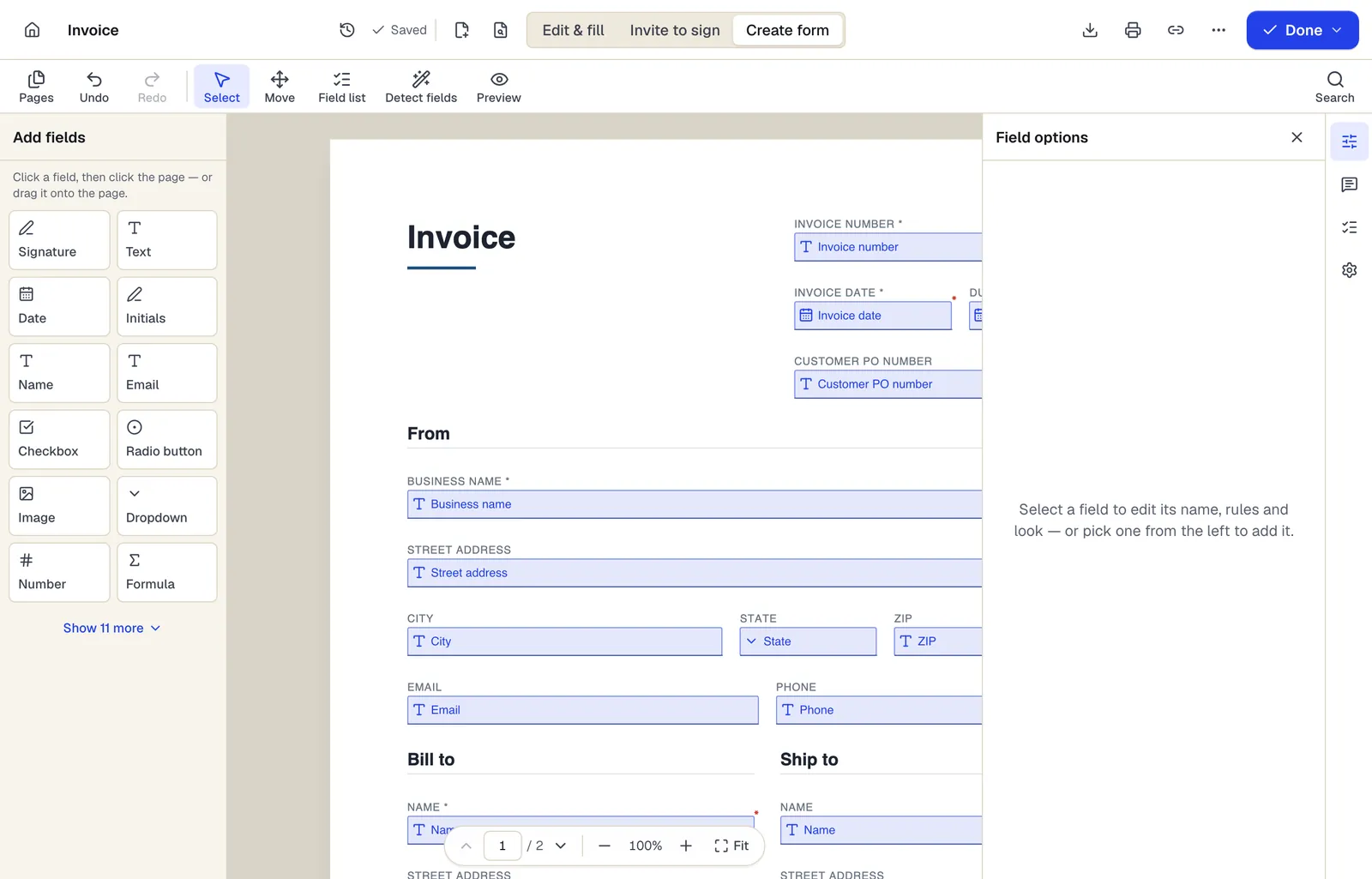
- Pick a field type, then click the page — or drag it
- Detect fields finds the boxes and lines on a flat PDF
- Every field keeps a label, a name and its own rules
The editor in Create form mode. Sample content; names and companies are fictional.
How to do it
Add radio buttons to a PDF in 5 steps
1A flat PDF
2Place fields
3A fillable PDF
- 1
Upload the PDF
Open the fields panel and choose Radio.
- 2
Place the first option
Click beside the first choice and name the group (for example contact_method).
- 3
Add the other options
Place more buttons in the same group; give each an export value like phone, email, text.
- 4
Make it required if needed
Required groups must have one option chosen.
- 5
Preview and download
Click through options in preview to confirm only one stays selected, then download.
Example
Before and after
A flat patient intake PDF with “Preferred contact: ☐ Phone ☐ Email ☐ Text” and “Smoker: ☐ Yes ☐ No” printed as empty squares.
Two radio groups, contact_method (phone/email/text) and smoker (yes/no), each required, positioned over the printed squares so patients can choose only one answer per question.
Settings & formats
What you can control
- Group name
- All buttons sharing this name form one single-choice question.
- Export value
- The value saved when this button is chosen.
- Required
- One option in the group must be selected.
- Default
- Optionally preselect one option.
Input
Output
Good to know before you start
- In most PDF readers a chosen radio button cannot be cleared back to “nothing selected”. Add a “Prefer not to say” or “N/A” option if a blank answer is acceptable.
- How the selected dot looks (circle, check, filled) can vary slightly between PDF readers.
- Buttons in a group must use distinct export values, or selecting one will appear to select both.
Add radio buttons to PDF: questions people ask
What is the difference between radio buttons and checkboxes?
Radio buttons in a group allow exactly one choice. Checkboxes are independent, so any number can be ticked.
How do I make several buttons work as one question?
Give them the same group name. Each button then needs its own export value.
Can I require an answer?
Yes. Mark the group required; PDFBetter forms will not submit until an option is chosen.
Can I deselect a radio button?
Usually not, which is standard PDF behavior. Include an N/A option if people may need to leave the question unanswered.
Will the radio buttons work outside PDFBetter?
Yes. They are standard PDF radio button fields and work in Acrobat Reader, Apple Preview and browser PDF viewers.