
Guide · Signing
How to sign a PDF
Reviewed

Short answer
To sign a PDF, open it in a PDF editor or signing tool, choose Sign, create your signature by typing, drawing or uploading an image, place it on the signature line and download the signed copy. Add the date and any initials the document asks for before you download. If other people need to sign too, send a signature request instead of passing the file around.
On this page (7)
Sign a PDF yourself in PDFBetter
- 1
Open the PDF
Upload the document to Sign PDF. It opens in the editor with the signature tool selected.
- 2
Create your signature
Type your name and pick a handwriting-style font, draw with a mouse, trackpad or finger, or upload a photo of your signature on white paper. Choose the ink color.
- 3
Place it
Click the signature line, then drag and resize the signature so it sits on the line without covering printed text. Add initials on every page that asks for them.
- 4
Add the date and other details
Use the date tool for the signing date and text boxes for your printed name or title if the form has blanks for them.
- 5
Download or send
Download the signed PDF with a free account, or share it by link or email from the editor.
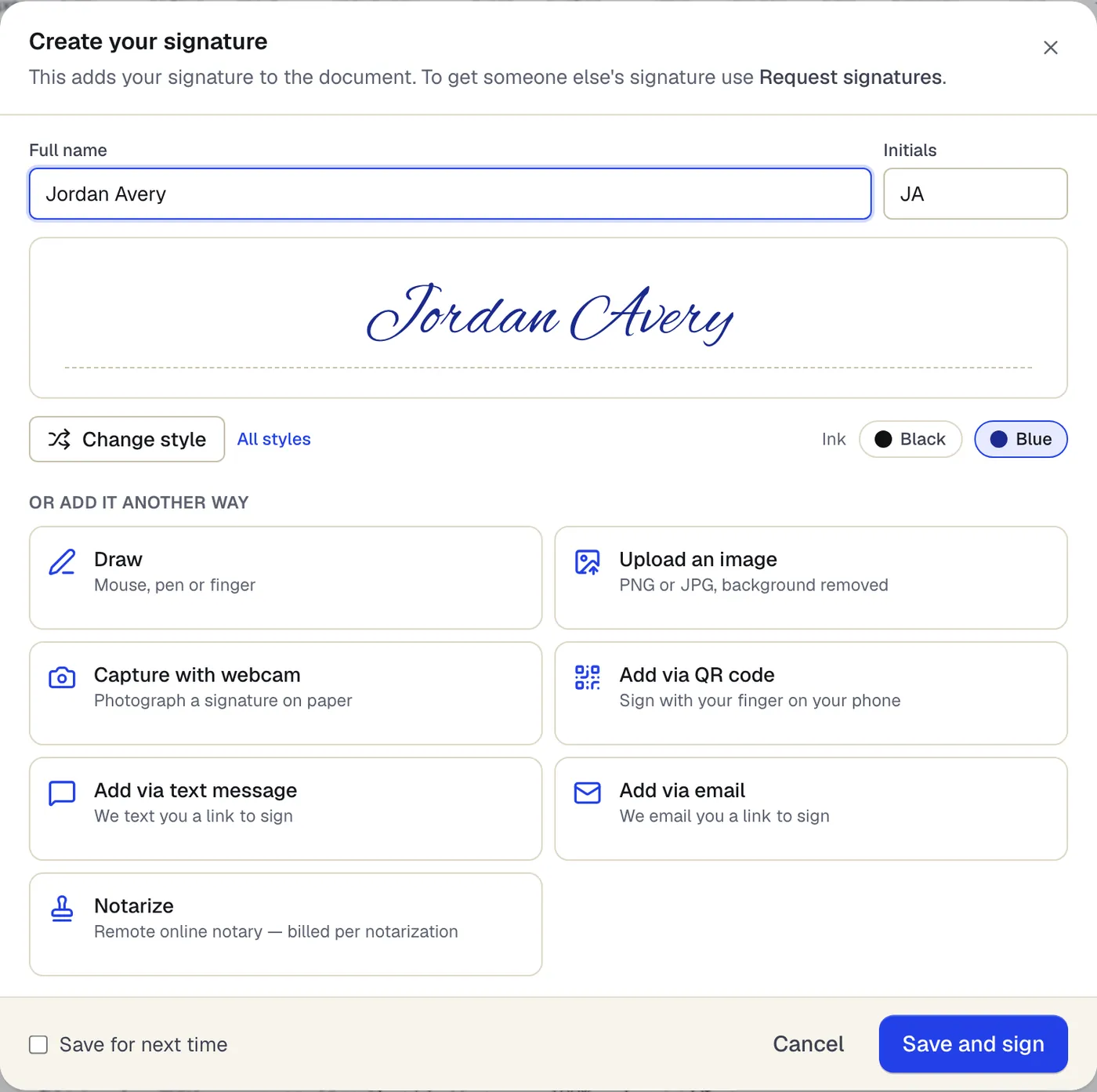
- Type your name and pick a style and ink color
- Or draw it, upload it, or finish on your phone
The signature dialog that opens from Sign. Sample content; names and companies are fictional.
Typed, drawn or uploaded: which signature to use
Legally, the method rarely matters. In the United States, the EU and many other places, an electronic signature is any electronic mark you adopt with the intent to sign, so a typed name can be as valid as a drawn one. What matters more is showing who signed and that they meant to.
Practically, a drawn or uploaded signature looks more familiar to recipients, while a typed signature is cleaner on a phone. If you sign often, save your signature to your account so it is one click next time.
Before you sign: read, fill, then sign
Fill every blank first and sign last. Many forms print a statement above the signature line, such as a certification under penalty of perjury, and your signature applies to everything on the page as it is when you sign.
Check whether the document wants a specific type of signature. A form that says “wet signature required”, “notarized” or “signed in the presence of a witness” is telling you that an electronic signature will not be accepted for it.
Signing a document that others also sign
If a contract needs signatures from several people, emailing one PDF back and forth creates versions nobody can trust. A signature request locks the document, asks each person to consent to signing electronically, collects their signatures in order and produces a certificate of completion with a full audit trail. In PDFBetter every signer signs with their own cryptographic key, and the completed PDF is digitally sealed and independently time-stamped, so a later change shows in PDF readers. A PDF you sign yourself is a visual electronic signature: it is not sealed and uses no device key.
Is an electronic signature on a PDF legally valid?
In most countries, electronic signatures are generally accepted for everyday business and personal agreements, with exceptions that often include wills, some property deeds, court documents and anything that must be notarized. Rules differ by country and by document, so check the requirements that apply to yours. PDFBetter is not a law firm and this is not legal advice.
When you sign your own PDF, you apply a visual electronic signature. Signature requests go further: they are designed to the technical requirements of an advanced electronic signature (eIDAS art. 26): a unique key per signer, under their sole control, linked to the document so any change is detectable. Signers are identified by email (and an optional emailed code), not by ID documents or SMS. They are not qualified electronic signatures (QES).
Tools used in this guide
- Sign PDFCreate your signature once, click the signature line to place it, add initials or a date, and download the signed PDF.
- Add date to PDFPick a date from the calendar, choose its format, and place it on the date line of your PDF.
- Fill PDFOpen the form, move through every field with Tab, fill it in, and download a completed PDF that keeps or locks your answers.
- Request signaturesAdd the people who need to sign, place each person's fields, send, and get the completed PDF plus a certificate of completion when everyone is done.
Questions people ask
Can I sign a PDF without printing it?
Yes. Create a typed, drawn or uploaded signature, place it on the page and download the signed copy. Nothing needs to be printed or scanned unless the recipient specifically requires a handwritten original.
Is a typed name a real signature?
In most legal systems an electronic signature can be any mark adopted with the intent to sign, including a typed name. Some documents and some recipients require more, so check what applies to yours.
Can someone remove my signature from the PDF after I send it?
When you download with fields flattened, the signature becomes part of the page content and can't simply be clicked and deleted. Anyone can still edit a PDF with the right tools, which is why signature requests keep a fingerprinted copy and an audit trail, and PDFBetter seals completed requests so later edits show as modifications.
How do I sign a PDF on my phone?
Open the PDF in your phone's browser on PDFBetter, choose Sign and draw your signature with your finger. iPhone users can also sign with Markup in the Files app; see the iPhone signing guide.
Do I need an account to sign a PDF?
You can place your signature without an account. Downloading the signed file needs a free account, and requesting signatures from others needs one too.