
Form builder
Build a release or waiver form
A release form records that someone agreed to something in writing: accepting the risks of an activity, letting you use their photo, allowing a child to go on a trip, or authorizing you to share information. What matters is that the right person signed the right wording, and that you can find it later.
Reviewed
- Participant name and date of birth (name and date fields, required)
- Release text (read-only text block)
- Initials next to key clauses (initials fields, required)
- Guardian name and relationship (shown when the participant is under 18)
- Photo or media consent (radio buttons: yes or no)
- Emergency contact (name and phone)
- Signature and date (required)
Why it works
Release form, explained
Collecting releases online before the day removes the clipboard line at the door and the unreadable signatures that come with it. Put the release text on the form as read-only text, require an initial next to key paragraphs if your counsel wants it, and require a signature and date.
Releases are legal documents. Their enforceability depends on state law, the wording and who signs, and releases signed on behalf of minors are treated differently in many states. Have counsel approve the wording before you publish.
Recommended fields
Fields to include
- 1Participant name and date of birth (name and date fields, required)
- 2Release text (read-only text block)
- 3Initials next to key clauses (initials fields, required)
- 4Guardian name and relationship (shown when the participant is under 18)
- 5Photo or media consent (radio buttons: yes or no)
- 6Emergency contact (name and phone)
- 7Signature and date (required)
How to do it
Build a release or waiver form in 4 steps
1A flat PDF
2Place fields
3A fillable PDF
- 1
Build the form
Start from the release of liability, photo release or permission slip template, paste in your approved wording, and add required initials and signature fields.
- 2
Publish it
Publish and put the link in booking confirmations, or the QR code at check-in for walk-ups.
- 3
Collect signatures
Participants sign with a finger or mouse in a browser, without an account. The form can't be submitted without the required signatures.
- 4
Export your records
Export a CSV or XLSX list of who signed and when for staff on the day, and keep responses for as long as your counsel advises.
In the app
What building it looks like
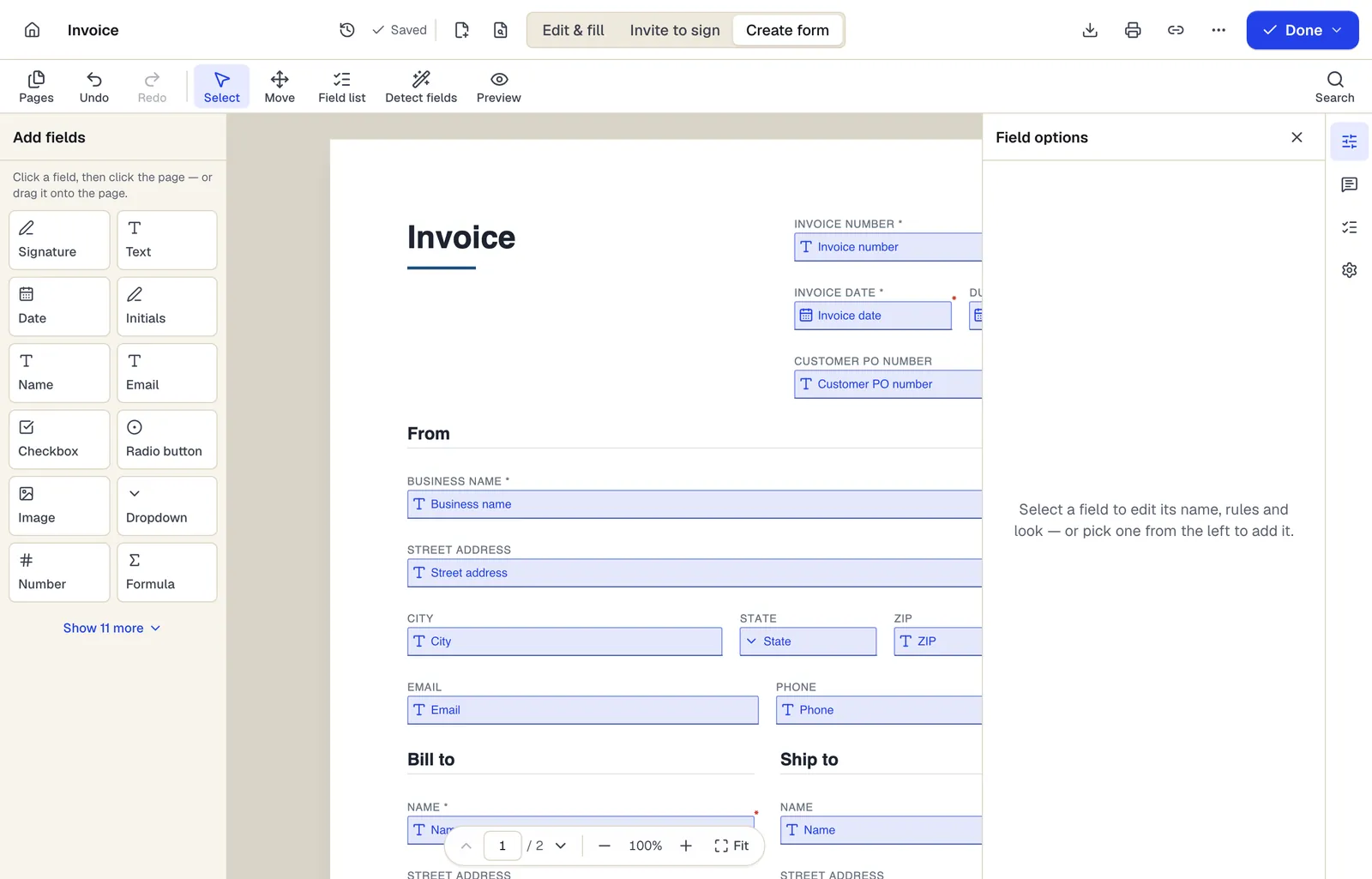
- Pick a field type, then click the page — or drag it
- Detect fields finds the boxes and lines on a flat PDF
- Every field keeps a label, a name and its own rules
The editor in Create form mode. Sample content; names and companies are fictional.
Start from a template
Templates that fit
Release of Liability (Activity Waiver)
21 fields · 3 pages
Activity waiver with assumption of risk, release, medical authorization and parent signature for minors. For gyms, classes, rentals and events.
Photo and Video Release Form
23 fields · 2 pages
Photo and video release letting a photographer or organization use a person's image, with permitted uses, compensation, time limits and guardian consent.
Permission Slip
17 fields · 1 page
Short permission slip for on-site school, club or after-school activities: activity details, cost, yes/no permission and parent signature with tear-off.
Medical Records Release Authorization
42 fields · 3 pages
Authorization to release health information with the core elements HIPAA lists: what, from whom, to whom, purpose, expiration, revocation and signature.
Release form: questions people ask
Is an electronically signed waiver valid?
E-signatures are generally recognized under the US ESIGN Act and state UETA laws. Whether a particular waiver is enforceable is a separate question of state law and wording; PDFBetter is not a law firm.
Can a parent sign for a child?
Yes. Add a guardian section shown when the participant is under 18, with the guardian's own signature field.
Should I use a form or a signature request?
Use a published form when many people sign the same release. Use Request signatures when one named person must sign a specific document and you want a certificate of completion.
Can I check at the door who hasn't signed?
Export the responses before the event and compare them with your registration list.