
Form builder
Build an online booking request form
An online booking form lets a customer request a service from your website: a home repair visit, a photo shoot, a cleaning, a lesson. Beyond a date and time, a service business needs the job details that decide the quote, such as the address, the scope and a photo of the problem.
Reviewed
- Customer name, email and phone (required)
- Service address with state and ZIP (state and ZIP fields)
- Service type (dropdown)
- Job description (multi-line text)
- Photo of the job (image field, optional)
- Preferred date and time windows, first and second choice (date fields and dropdowns)
- Agreement to terms (checkbox, required)
Why it works
Online booking form, explained
This is a request form, not a live calendar. PDFBetter doesn't show your free slots or block times once they're taken. Ask for two or three preferred windows, confirm the booking yourself, and use a scheduling app if customers must pick exact times instantly.
Once a booking is confirmed, turn it into paperwork: an estimate or service agreement prefilled from the request and sent for signature, and a work order for the visit.
Recommended fields
Fields to include
- 1Customer name, email and phone (required)
- 2Service address with state and ZIP (state and ZIP fields)
- 3Service type (dropdown)
- 4Job description (multi-line text)
- 5Photo of the job (image field, optional)
- 6Preferred date and time windows, first and second choice (date fields and dropdowns)
- 7Agreement to terms (checkbox, required)
How to do it
Build an online booking request form in 4 steps
1A flat PDF
2Place fields
3A fillable PDF
- 1
Build the form
Add the questions that decide price and duration, an image field for a photo, and two preferred time windows.
- 2
Publish it
Embed the form on your website's booking page and link it from your business listings.
- 3
Collect bookings
Customers submit from a phone without an account; each submission is a pending request until you confirm.
- 4
Export, confirm and quote
Export to CSV or XLSX, confirm a time, then generate an estimate or agreement from the row and send it for signature.
In the app
What building it looks like
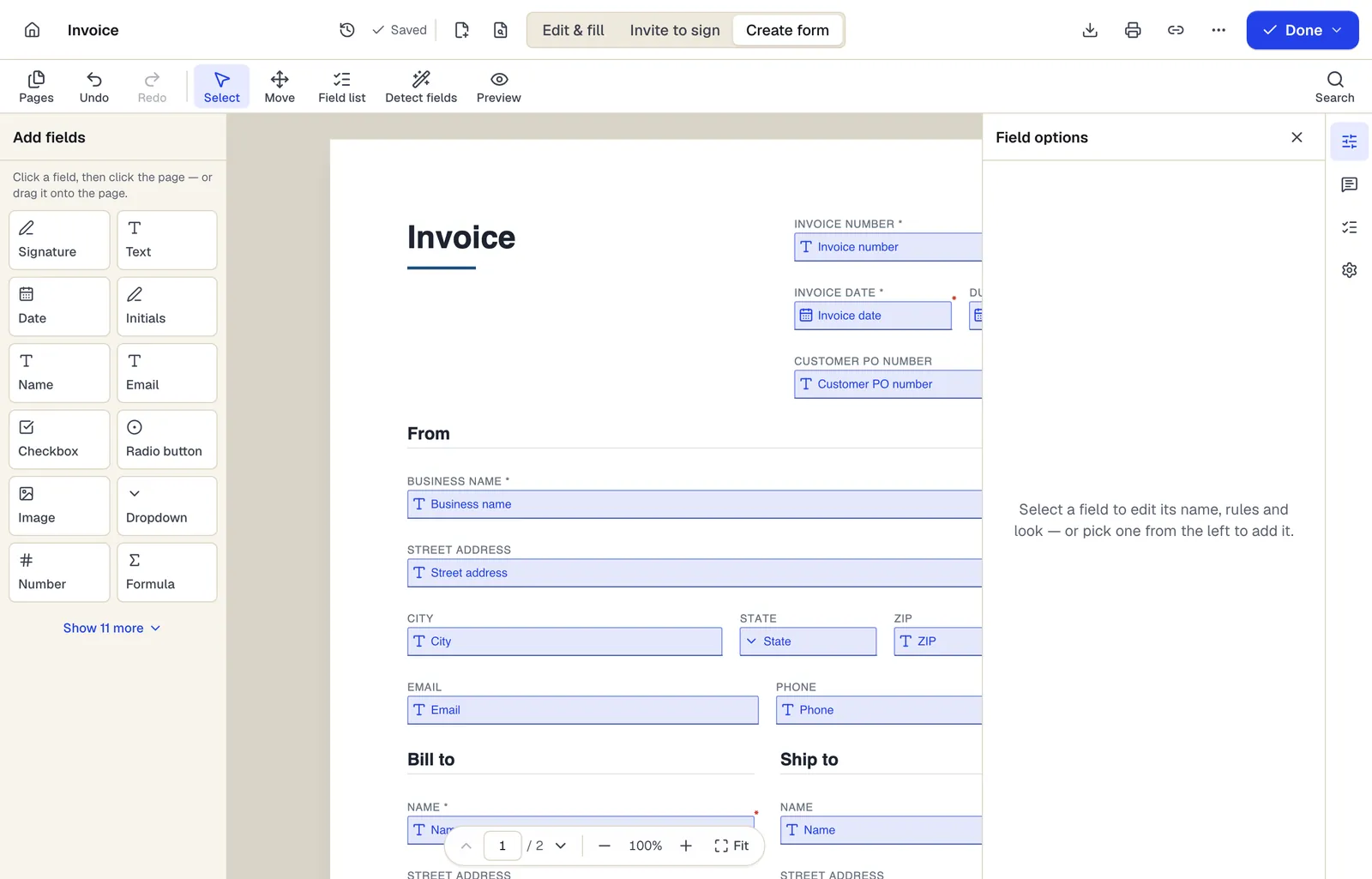
- Pick a field type, then click the page — or drag it
- Detect fields finds the boxes and lines on a flat PDF
- Every field keeps a label, a name and its own rules
The editor in Create form mode. Sample content; names and companies are fictional.
Start from a template
Templates that fit
Service Agreement
31 fields · 3 pages
Plain-English service agreement with scope, fees, payment terms, termination and signature lines. Fill it online, then sign or send it for signature.
Estimate
67 fields · 2 pages
Fillable estimate with job description, line items, tax, a stated allowance for variance and an optional customer approval. Totals calculate as you type.
Work order
70 fields · 2 pages
Fillable work order with request details, priority, assigned technician, work performed, labor and parts tables, completion status and customer sign-off.
Customer intake form
24 fields · 1 page
Fillable new-client intake form for service businesses: contact details, services wanted, project goals, budget, timeline, referral source and contact consent.
Online booking form: questions people ask
Can customers pick from my real availability?
No. The form doesn't connect to a calendar. Ask for preferred windows and confirm, or use a scheduling app for instant booking.
Can customers attach a photo?
Yes. Add an image field so customers can include a photo of the job.
Can I take a booking deposit?
Not through the form; forms don't process payments. Send your processor's payment link when you confirm.
How do I turn a booking into a signed agreement?
Fill your service agreement template with the booking details and send it with Request signatures. You get the completed PDF and a certificate of completion.