
Form builder
Build a medical intake or consent form
Medical forms — patient intake, medical history, consent to treatment, telehealth consent and records-release authorizations — are some of the most repeated documents in a practice. A clean fillable design with required fields and clear consent wording saves front-desk time no matter where the form is filled.
Reviewed
- Patient name, date of birth and contact details (name, date, phone and email fields)
- Reason for visit (multi-line text)
- Current medications and allergies (multi-line text)
- Medical history checklist (checkboxes)
- Insurance carrier and member ID (text fields)
- Consent text (read-only) with patient or guardian signature and date
Why it works
Medical form, explained
The plain limitation: PDFBetter does not sign Business Associate Agreements (BAAs) and makes no HIPAA compliance claim. If your practice is a HIPAA covered entity, don't publish forms that collect protected health information through PDFBetter or store completed patient forms in it.
What PDFBetter is useful for is designing the form. Build and test the layout, fields and consent text here, download the blank fillable PDF, and load it into the patient-facing system your practice uses under a BAA, or print it. Forms that hold no health information, such as a staff sign-in sheet, can be published normally.
Recommended fields
Fields to include
- 1Patient name, date of birth and contact details (name, date, phone and email fields)
- 2Reason for visit (multi-line text)
- 3Current medications and allergies (multi-line text)
- 4Medical history checklist (checkboxes)
- 5Insurance carrier and member ID (text fields)
- 6Consent text (read-only) with patient or guardian signature and date
How to do it
Build a medical intake or consent form in 4 steps
1A flat PDF
2Place fields
3A fillable PDF
- 1
Build the form
Start from the patient intake, medical history or consent template and adapt the wording with your clinical and compliance leads.
- 2
Test it with dummy data
Fill the form with made-up answers to check tab order, required fields and how it prints. Never test with real patient data.
- 3
Download the blank PDF
Download the fillable PDF and load it into your patient portal or EHR forms module, or print it for the waiting room.
- 4
Publish only non-PHI forms
Forms without health information, such as a vendor sign-in or a staff training sign-up, can be published with a link and exported to CSV or XLSX.
In the app
What building it looks like
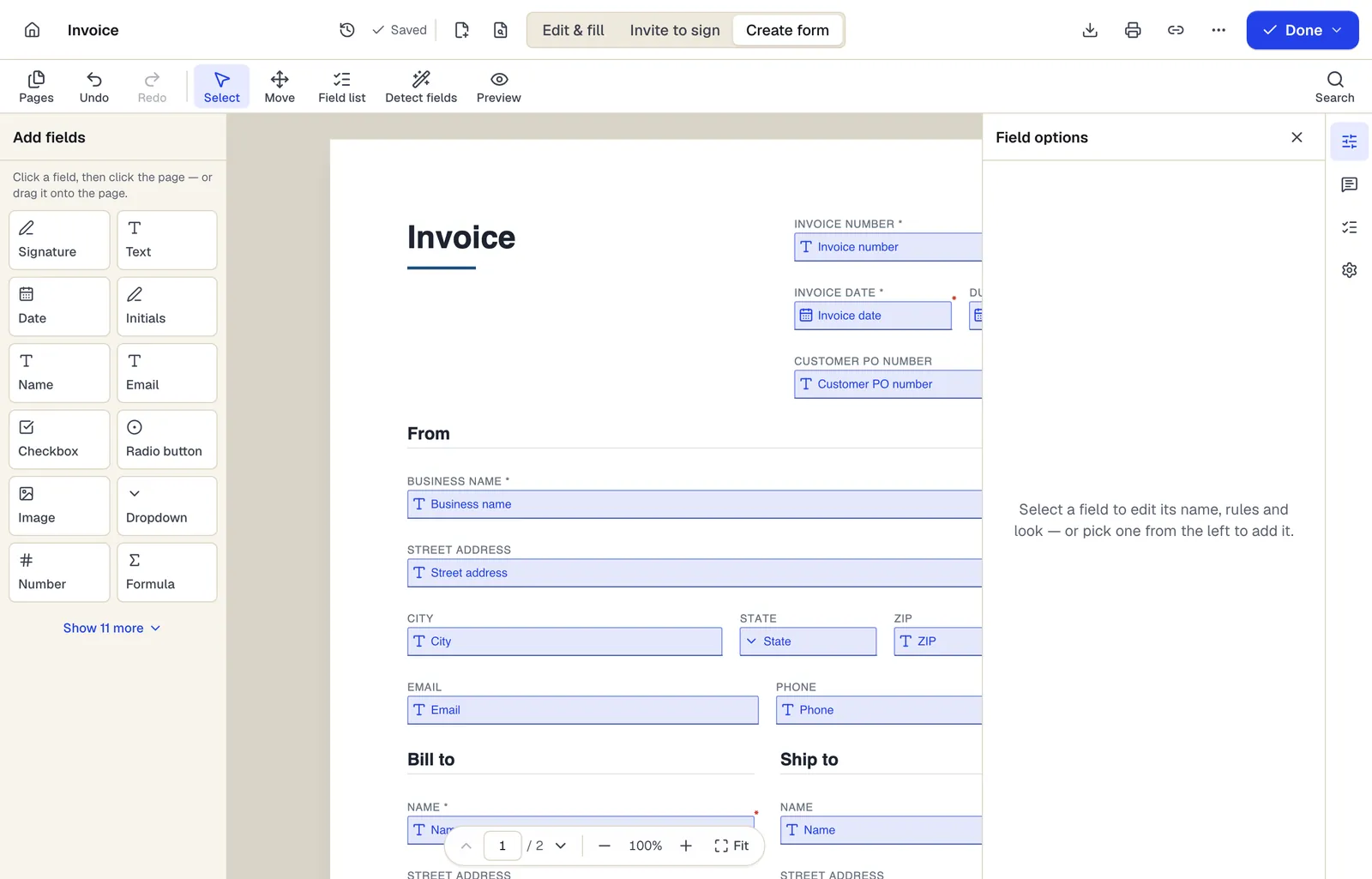
- Pick a field type, then click the page — or drag it
- Detect fields finds the boxes and lines on a flat PDF
- Every field keeps a label, a name and its own rules
The editor in Create form mode. Sample content; names and companies are fictional.
Start from a template
Templates that fit
Patient Intake Form
73 fields · 3 pages
New patient intake form with demographics, insurance, emergency contact, reason for visit, medications, allergies, conditions and consent signatures.
Medical History Form
86 fields · 2 pages
Detailed personal and family medical history form: conditions, surgeries, hospitalizations, medications, immunizations, lifestyle and family history.
General Consent to Treatment
16 fields · 2 pages
General outpatient consent to treatment covering routine exams, tests and procedures, the right to refuse, students in care and signature by representative.
Telehealth Informed Consent
21 fields · 2 pages
Telehealth consent explaining how video and phone visits work, technology and privacy risks, emergency plan, patient location and right to choose in person.
Medical Records Release Authorization
42 fields · 3 pages
Authorization to release health information with the core elements HIPAA lists: what, from whom, to whom, purpose, expiration, revocation and signature.
Therapy Intake Form
40 fields · 2 pages
Counseling intake form: presenting concerns, symptoms, prior treatment, safety screening, goals, limits of confidentiality and consent to begin therapy.
Medical form: questions people ask
Is the PDFBetter form builder HIPAA compliant?
PDFBetter makes no HIPAA compliance claim and does not sign BAAs. If HIPAA applies to your practice, don't collect or store patient information with it.
Then why use it for medical forms?
To design them. The fillable PDF you download works in other systems and in print; collecting patient data should happen in a system covered by a BAA.
Does HIPAA apply to my practice?
It depends, for example on whether you bill insurance electronically. Ask your compliance advisor; state health privacy laws can apply even when HIPAA doesn't.
Can I use AI to detect fields on my old paper form?
Only on a blank form. AI field detection sends page content to an AI provider, so never run it on a completed form with patient details.