
Guide · Security & privacy
How to remove a password from a PDF you can open
Reviewed

Short answer
To remove a password from a PDF, open it with an unlock tool, type the password once, and download a copy that opens without it. This works only if you know the password; legitimate tools don't crack or bypass PDF encryption. If you don't have the password, ask the person or organization that sent the file.
On this page (7)
When removing a password makes sense
Bank statements, payslips and utility bills often arrive protected with a password such as part of your date of birth. Removing it makes the file easier to archive, and it lets other tools work with it: merging, compressing, editing and converting all need an unlocked file.
Keep the protection when the file will be emailed or stored somewhere shared. You can remove it for processing and add it back afterwards.
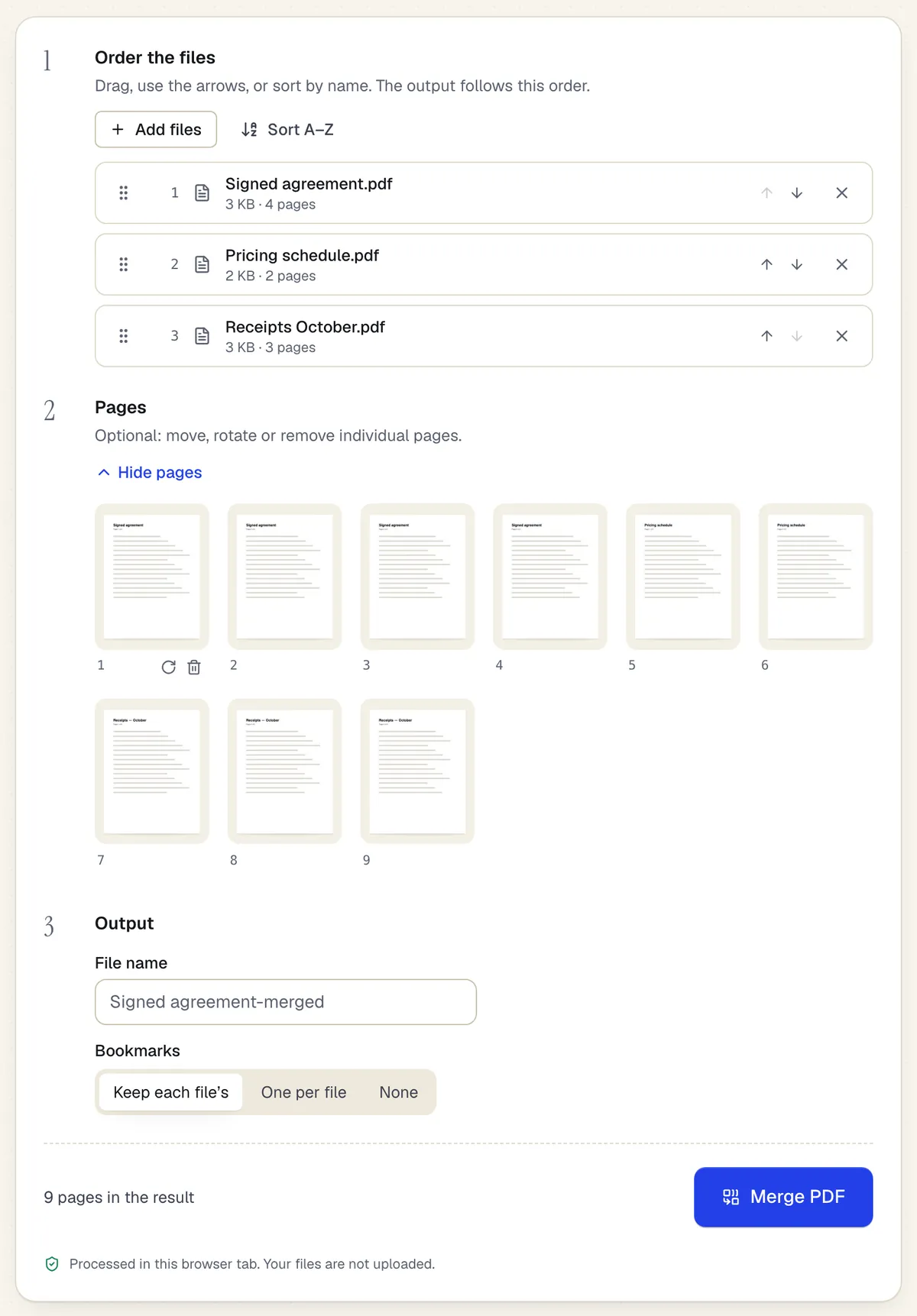
- Reorder whole files with drag or arrows
- Or move, rotate and remove single pages
- Processed in the browser tab — the files aren't uploaded
The Merge PDF workspace on this page, with three files added. Sample content; names and companies are fictional.
Remove a password in PDFBetter
- 1
Add the protected PDF
Open Unlock PDF and add the file. Decryption runs in your browser; the file and password stay on your device.
- 2
Enter the password
Type the password that opens the file. For a file that opens freely but blocks printing or copying, enter its permissions password.
- 3
Download
The unlocked copy downloads immediately, free and without an account. Your original isn't changed.
Open password vs permissions password
If the PDF asks for a password when you open it, it has an open password. If it opens but printing, copying or editing is greyed out, it has only a permissions password. Unlocking removes both kinds once you provide the right password.
If you don't know the password
Ask the sender. Banks and employers usually describe their password format in the email or on their website. PDFBetter does not guess, crack or bypass passwords, and removing protection from a document you aren't entitled to open may break the law or the terms under which you received it.
Files that can't be unlocked this way
PDFs secured with certificates (public-key security) or enterprise rights-management systems use a different mechanism and can't be unlocked with a password here. Unlocking also rewrites the file, which invalidates any certificate-based digital signature in it.
Tools used in this guide
- Unlock PDFEnter the password you already have and download an unencrypted copy of the PDF.
- Protect PDFSet a password to open the file, optionally restrict printing, editing and copying, and download an encrypted PDF.
- Merge PDFDrop in two or more PDFs, set the file and page order, and download one combined PDF.
- Compress PDFUpload a PDF, choose how hard to compress its images, and download a smaller file with the text and form fields untouched.
Questions people ask
Is removing a PDF password free?
Yes. It runs in your browser and the unlocked copy downloads free without an account.
Can PDFBetter unlock a PDF without the password?
No. You need the password; PDFBetter doesn't crack or bypass encryption.
Does unlocking change the content?
No. Pages, text and images are unchanged; only the encryption and restrictions are removed.
Why do other tools ask me to unlock the PDF first?
Encrypted content can't be read or rewritten without the password, so merging, compressing, converting and editing all need an unlocked file.
Can I put the password back afterwards?
Yes. Use Protect PDF to encrypt the finished file with a new password.