
Form builder
Build a payment details or authorization form
First, the honest answer: PDFBetter forms don't process payments, and we don't recommend collecting card numbers in any PDF or form. A PDF with a card number in it gets emailed, downloaded and saved in places you can't control, and handling card data puts you in scope for PCI DSS.
Reviewed
- Customer or company name and billing email (name, company and email fields, required)
- Billing address with state and ZIP (state and ZIP fields)
- Purchase order or reference number (text)
- Amount authorized (USD currency field) and frequency (radio buttons: one time, monthly)
- Payment method type (radio buttons: card via processor link, ACH via processor link, check)
- Authorization statement (read-only text) with signature and date, required
- Never add: full card number, CVV, expiration date or online banking credentials
Why it works
Payment form, explained
What you can build safely is the paperwork around a payment: a billing details form (who to invoice, purchase order number, billing address), a payment authorization that a customer signs to approve recurring charges or a deposit amount, or an order form that lists what they're buying and links to your processor's hosted checkout.
The card or bank details themselves should be entered on your payment processor's hosted page or terminal, where they are tokenized. Put that checkout link in the form's description or confirmation, and reference the processor's transaction or customer ID on your PDF instead of card numbers.
Recommended fields
Fields to include
- 1Customer or company name and billing email (name, company and email fields, required)
- 2Billing address with state and ZIP (state and ZIP fields)
- 3Purchase order or reference number (text)
- 4Amount authorized (USD currency field) and frequency (radio buttons: one time, monthly)
- 5Payment method type (radio buttons: card via processor link, ACH via processor link, check)
- 6Authorization statement (read-only text) with signature and date, required
- 7Never add: full card number, CVV, expiration date or online banking credentials
How to do it
Build a payment details or authorization form in 4 steps
1A flat PDF
2Place fields
3A fillable PDF
- 1
Build the form
Start from an order or credit application template. Add billing and authorization fields only, and put your processor's checkout link in the description.
- 2
Publish it
Publish the form and send the link with your quote or invoice, or embed it on your order page.
- 3
Collect authorizations
Customers fill billing details and sign the authorization, then pay through your processor's link.
- 4
Export and reconcile
Export responses to CSV or XLSX and match them with payments in your processor or accounting system.
In the app
What building it looks like
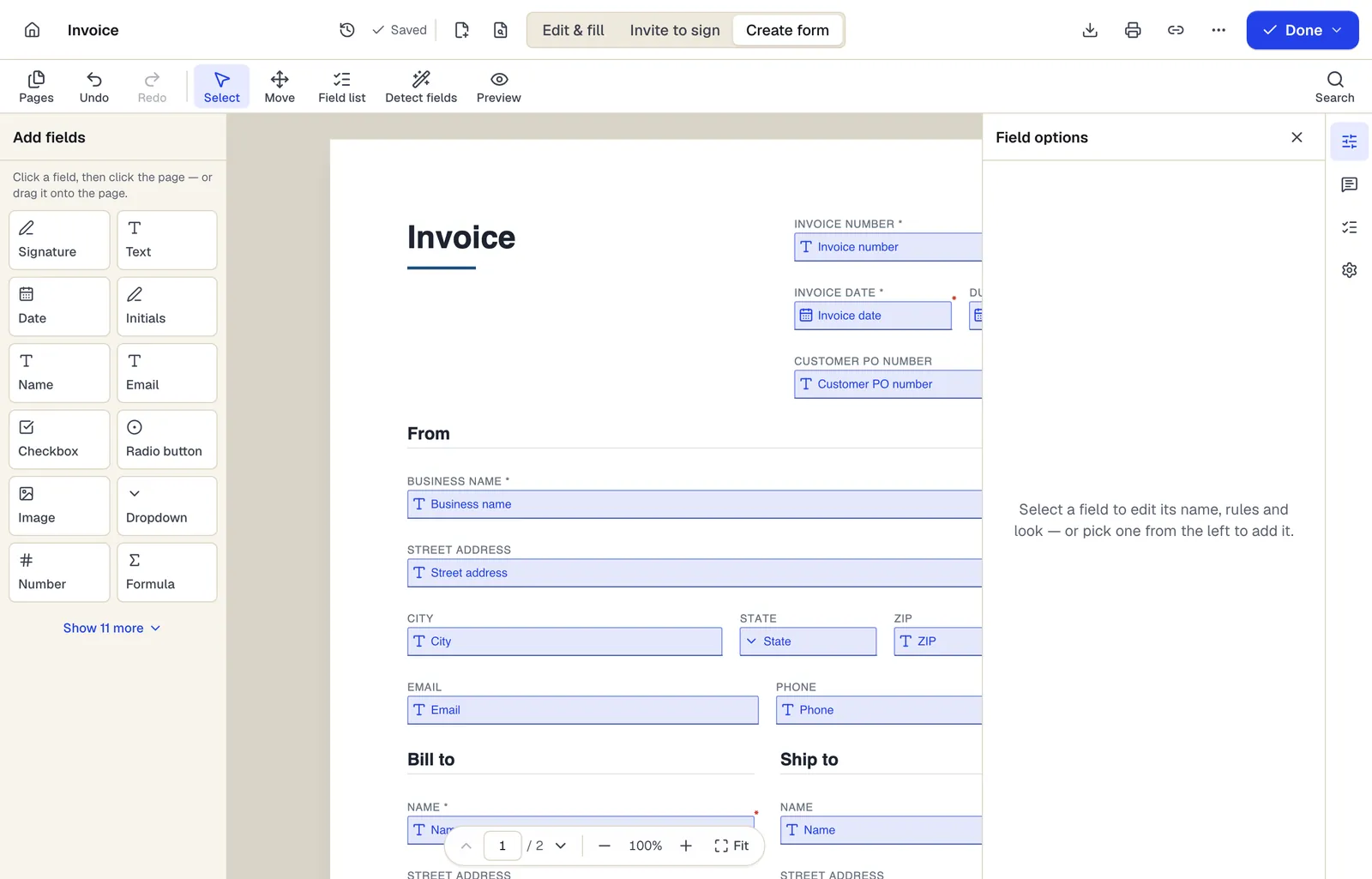
- Pick a field type, then click the page — or drag it
- Detect fields finds the boxes and lines on a flat PDF
- Every field keeps a label, a name and its own rules
The editor in Create form mode. Sample content; names and companies are fictional.
Start from a template
Templates that fit
Business credit application
54 fields · 3 pages
Fillable business credit application: company details, principals, bank and trade references, requested limit, terms, credit check authorization and guaranty.
Invoice
82 fields · 2 pages
A clean, fillable invoice with bill-to and ship-to, 12 line items, discount, sales tax and balance due that calculate as you type. Fill, sign and send free.
Sales receipt
57 fields · 2 pages
Fillable sales receipt with item lines, sales tax, payment method, amount tendered and change due. For markets, pop-up shops and small retail without a POS.
Purchase order
104 fields · 3 pages
Fillable purchase order with vendor, ship-to, item numbers, units, tax, shipping and an approval signature. Line totals and the PO total calculate for you.
Payment form: questions people ask
Can PDFBetter collect credit card payments?
No. Forms don't process payments. Use a payment processor's hosted checkout or payment link and reference it on the form.
Can I add a card number field anyway?
You shouldn't. Storing card numbers in PDFs or form exports puts you in scope for PCI DSS and creates a breach risk. Collect them only on your processor's page.
What about bank account numbers for ACH?
Use your processor's ACH flow too. If a vendor form must include bank details, send it with a password and redact the numbers before forwarding copies.
Is a signed payment authorization enough for recurring charges?
Card networks and processors have their own rules for recurring billing consent. Check your processor's requirements and keep the signed authorization with the customer record.