
Form builder
Build a client intake form
An intake form gets the facts you need before you meet a new client: who they are, what they want, their deadlines and budget, and their agreement to your terms. Sent ahead of the first call, it turns a fact-finding meeting into a working one.
Reviewed
- Client or company name (name and company fields, required)
- Contact email and phone (email and US phone fields)
- Service requested (dropdown, drives which section appears)
- Goals and deadline (multi-line text and date field)
- Budget range (radio buttons)
- Service-specific questions (sections shown by condition)
- Policy acknowledgment (checkbox, required) with signature and date
Why it works
Intake form, explained
Good intake forms branch. A design studio asks different questions for a logo than for a website; a law firm asks for opposing parties to run a conflict check. Conditional sections show only the questions that matter for the service chosen.
End with the agreements you need on record, such as consent to be contacted and acknowledgment of your policies, with a signature and date. For health practices, see the medical form page, which explains PDFBetter's limits around patient data.
Recommended fields
Fields to include
- 1Client or company name (name and company fields, required)
- 2Contact email and phone (email and US phone fields)
- 3Service requested (dropdown, drives which section appears)
- 4Goals and deadline (multi-line text and date field)
- 5Budget range (radio buttons)
- 6Service-specific questions (sections shown by condition)
- 7Policy acknowledgment (checkbox, required) with signature and date
How to do it
Build a client intake form in 4 steps
1A flat PDF
2Place fields
3A fillable PDF
- 1
Build the form
List what you ask on every first call and turn it into fields. Put service-specific questions in sections with conditions on the service dropdown.
- 2
Publish it
Publish and add the link to your booking confirmation or welcome email.
- 3
Collect intake
Clients complete the form before the meeting, on any device and without an account. Required fields and the signature must be filled before they can submit.
- 4
Export and prepare
Export responses to CSV or XLSX for your CRM or project tracker, and review answers before the first call.
In the app
What building it looks like
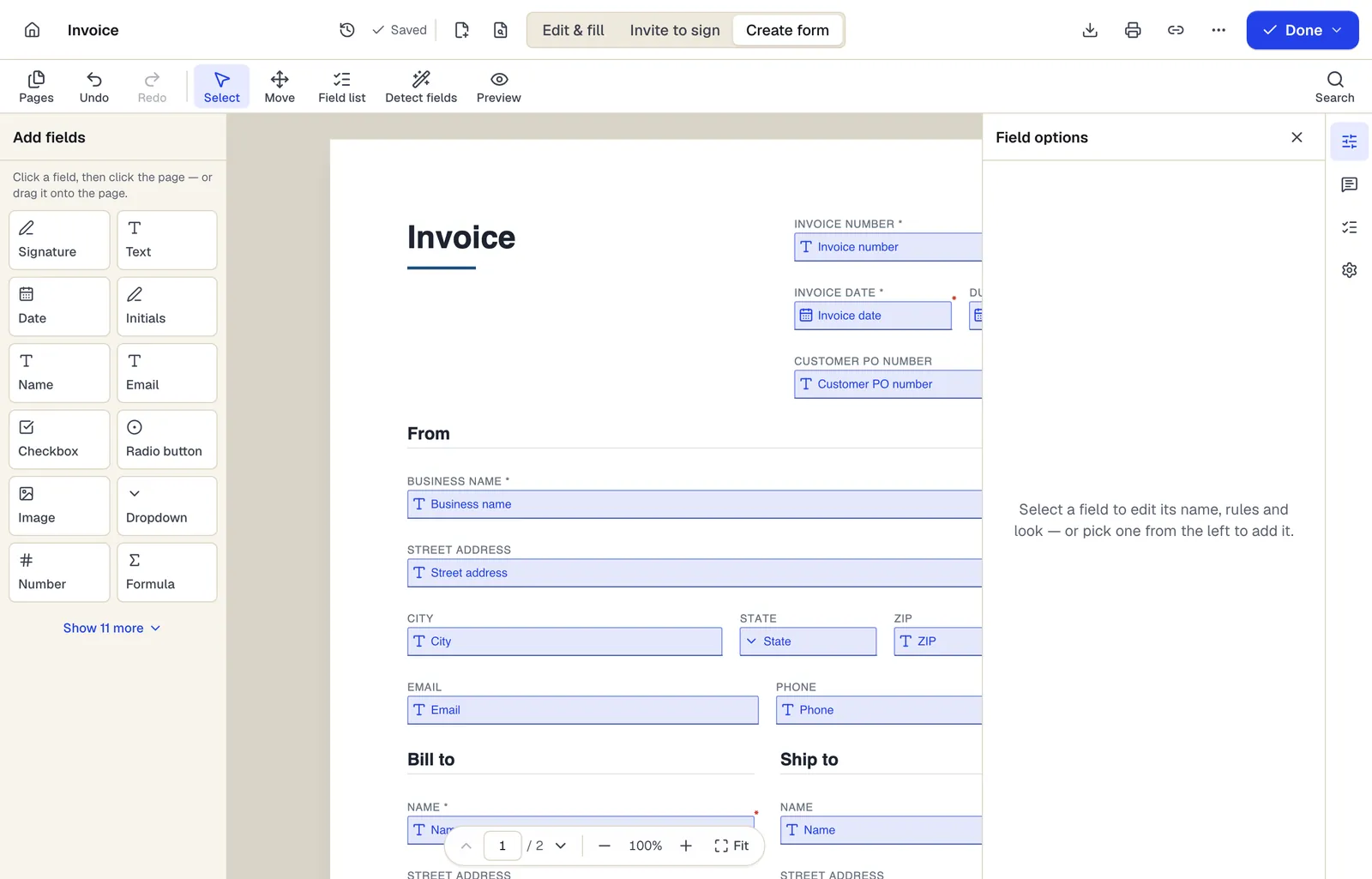
- Pick a field type, then click the page — or drag it
- Detect fields finds the boxes and lines on a flat PDF
- Every field keeps a label, a name and its own rules
The editor in Create form mode. Sample content; names and companies are fictional.
Start from a template
Templates that fit
Customer intake form
24 fields · 1 page
Fillable new-client intake form for service businesses: contact details, services wanted, project goals, budget, timeline, referral source and contact consent.
Therapy Intake Form
40 fields · 2 pages
Counseling intake form: presenting concerns, symptoms, prior treatment, safety screening, goals, limits of confidentiality and consent to begin therapy.
Patient Intake Form
73 fields · 3 pages
New patient intake form with demographics, insurance, emergency contact, reason for visit, medications, allergies, conditions and consent signatures.
Intake form: questions people ask
Can I use the intake answers to fill an engagement letter?
Yes. Export responses, then use Fill PDF from Excel to generate the letter for each client from the same columns.
Can clients save and finish later?
Keep the form short enough to finish in one sitting. If you need several sessions, split it into two forms.
Should I collect Social Security numbers at intake?
Only if you must. The form supports SSN and EIN fields with format checks, but every sensitive field is data you then have to protect and delete.
Is this suitable for patient intake?
Not if HIPAA applies to you. PDFBetter does not sign Business Associate Agreements; see the medical form page for details.