
Form builder
Build a donation or pledge form
A donation form records who is giving, how much, how often and how they want the gift recognized. For pledges, matching gifts and in-kind donations, the form itself is the record you need; for card or bank gifts, the money should move through a payment processor.
Reviewed
- Donor name, email and mailing address (name, email, state and ZIP fields)
- Gift type (radio buttons: one-time, monthly pledge, in-kind)
- Pledge amount (USD currency field)
- In-kind item description and estimated value (shown for in-kind gifts)
- Dedication: in honor or in memory of (text, optional)
- Recognition preference (radio buttons: list my name, anonymous)
- Employer for matching gifts (company field, optional)
Why it works
Donation form, explained
PDFBetter forms don't process payments. Put your processor's donation link on the form's confirmation or description, and use the form for the details that processor pages often don't capture well: dedications, anonymity preferences, employer matching and in-kind item descriptions.
At year end, export the responses and generate a receipt for every donor with Fill PDF from Excel. Receipts for US donors giving $250 or more in a single gift need specific wording (IRS Publication 1771), so get the receipt template reviewed.
Recommended fields
Fields to include
- 1Donor name, email and mailing address (name, email, state and ZIP fields)
- 2Gift type (radio buttons: one-time, monthly pledge, in-kind)
- 3Pledge amount (USD currency field)
- 4In-kind item description and estimated value (shown for in-kind gifts)
- 5Dedication: in honor or in memory of (text, optional)
- 6Recognition preference (radio buttons: list my name, anonymous)
- 7Employer for matching gifts (company field, optional)
How to do it
Build a donation or pledge form in 4 steps
1A flat PDF
2Place fields
3A fillable PDF
- 1
Build the form
Start with donor details and gift type, add conditional sections for pledges and in-kind gifts, and put your processor's giving link in the description.
- 2
Publish it
Embed it on your donate page, print the QR code on event tables and mailers, or send the link in appeals.
- 3
Collect gifts and pledges
Donors complete the form without an account, then give through your processor link.
- 4
Export and receipt
Export to CSV or XLSX, reconcile with processor records, and generate one receipt per donor from the spreadsheet.
In the app
What building it looks like
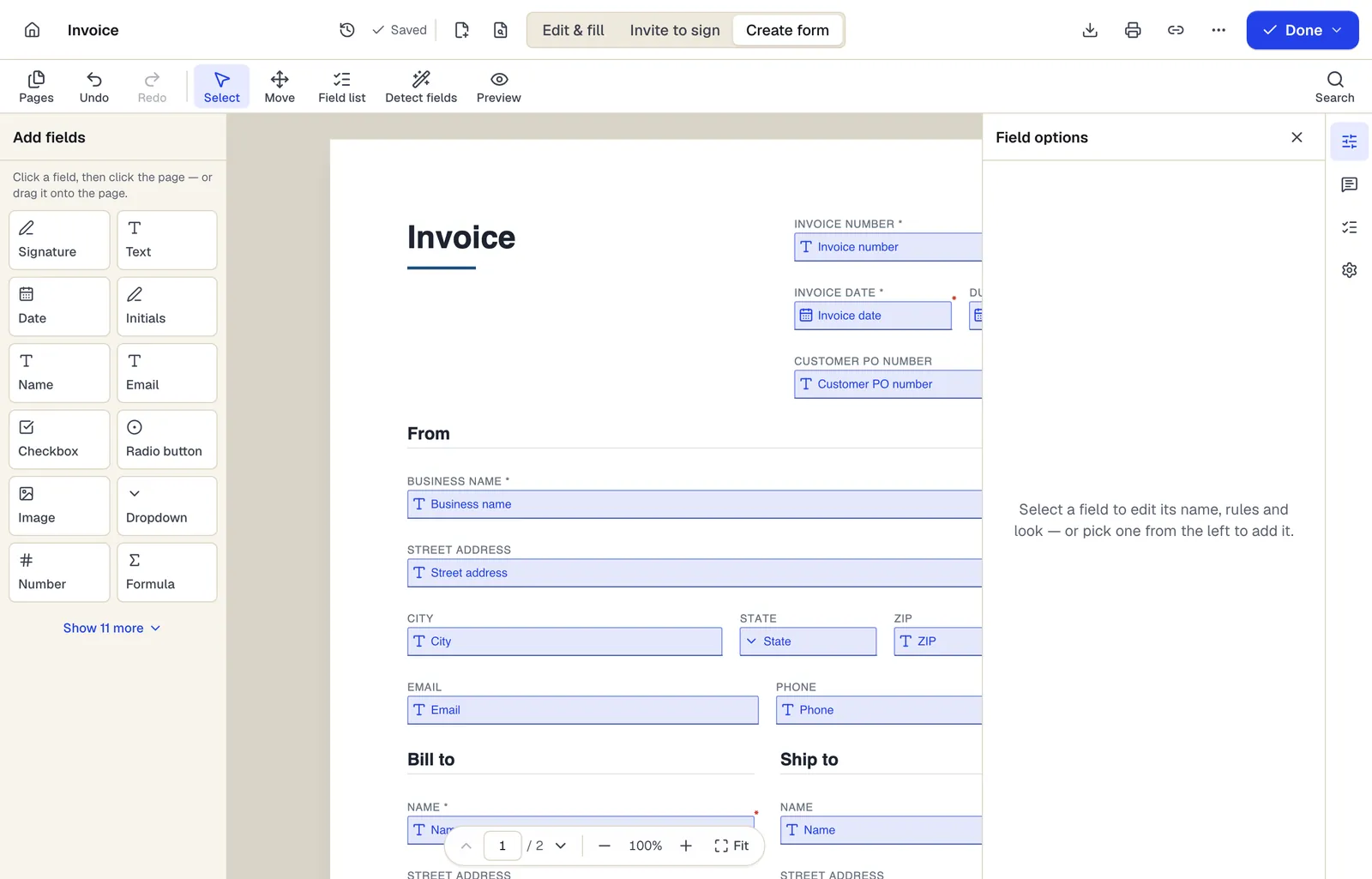
- Pick a field type, then click the page — or drag it
- Detect fields finds the boxes and lines on a flat PDF
- Every field keeps a label, a name and its own rules
The editor in Create form mode. Sample content; names and companies are fictional.
Start from a template
Templates that fit
Donation receipt
18 fields · 2 pages
Fillable donation receipt for 501(c)(3) nonprofits with donor, date, cash or property gift, and the goods-or-services statement donors need for tax records.
Volunteer Application
52 fields · 2 pages
Volunteer application with interests, availability, skills, experience, references, background check consent where required, and emergency contact.
Event Registration Form
30 fields · 2 pages
Event registration form with attendee details, ticket type and quantity, auto-calculated total, dietary and accessibility needs and communication consent.
Donation form: questions people ask
Can donors pay through the form?
No. PDFBetter forms don't process payments. Link to your payment processor and never collect card numbers on the form.
Can I generate tax receipts from the responses?
Yes. Export the responses, then fill the donation receipt template from the spreadsheet so each donor gets their own PDF.
What must a receipt say?
For a single gift of $250 or more, US donors need a written acknowledgment with the amount and whether goods or services were provided in return. See IRS Publication 1771 and have your wording reviewed.
Can donors stay anonymous publicly?
Add a recognition preference field and honor it in your donor lists. You still need their details for the receipt.