
Guide · Tax forms
How to fill out Form W-2 (2026)
Reviewed

Short answer
To fill out a 2026 Form W-2, enter the employee's SSN, your EIN and both names and addresses in boxes a–f, the year's wages and withholding in boxes 1–11, coded items in box 12 (including the new codes TP, TT and TA), checkboxes in box 13, other items in 14a and tipped occupation codes in 14b, and state and local amounts in boxes 15–20. Give Copies B, C and 2 to the employee and file Copy A with the Social Security Administration, not the IRS, by February 1, 2027. File Copy A electronically through SSA Business Services Online or on the official red-ink form, because a Copy A printed from irs.gov can't be scanned.
On this page (7)
Who files a 2026 W-2
Employers file a Form W-2 for each employee they paid wages to in 2026 and give the employee their copies. You need one for every employee from whose pay you withheld any income, Social Security or Medicare tax, whatever the amount. If you withheld nothing, the threshold for wages paid in 2026 is $2,000, up from $600; the IRS says it will be adjusted for inflation each year after 2026.
Use the 2026 form: the PDF on irs.gov prints “2026” and covers wages paid in calendar year 2026. Before you start, have your EIN and legal name exactly as they appear on your Forms 941 or 944, each employee's name and SSN exactly as shown on their Social Security card, and your payroll totals for the year, including state and local wages and tax.
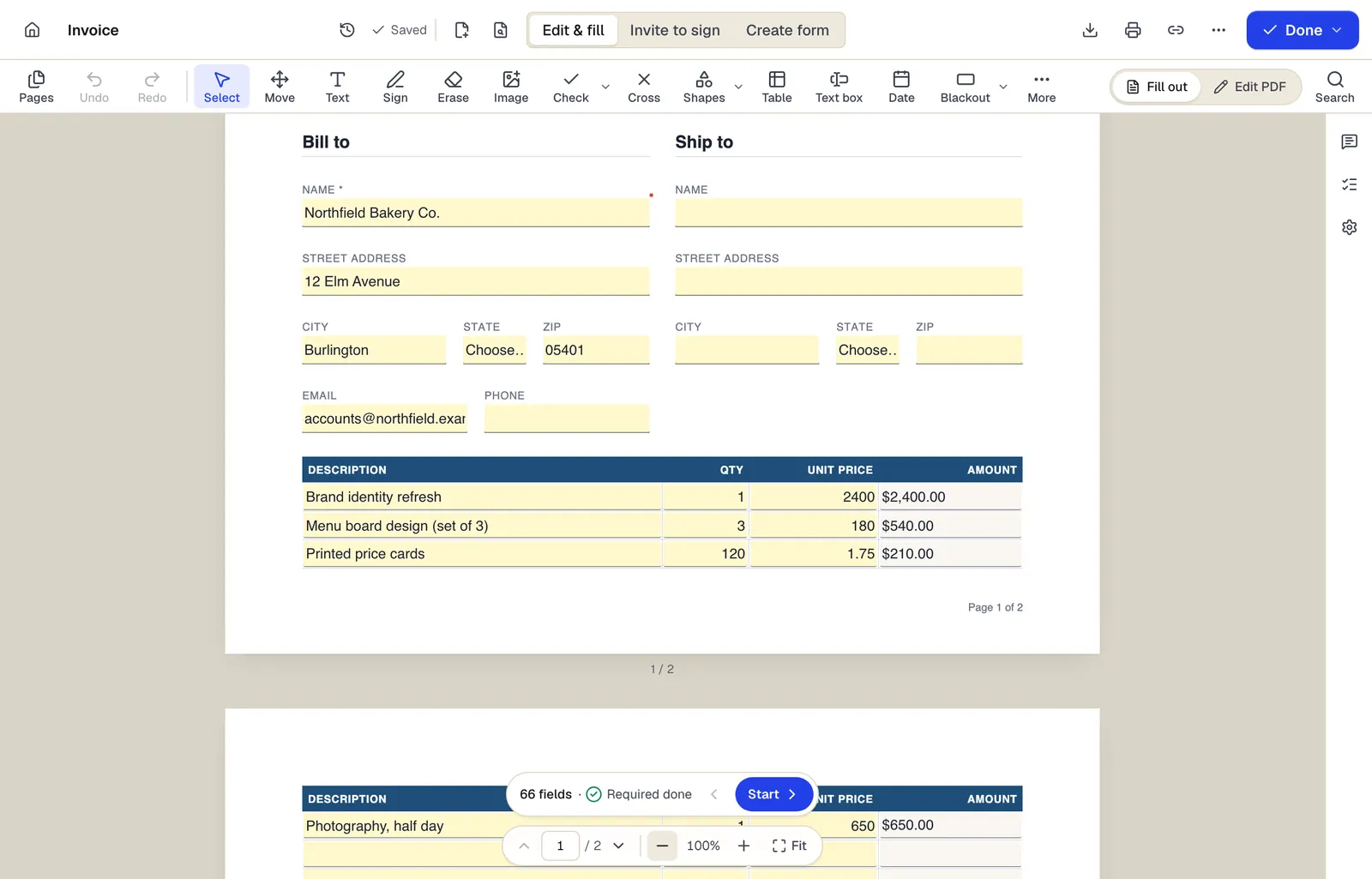
- Edit & fill, Invite to sign and Create form are three modes of the same editor
- Amounts are formula fields: they calculate as you type
- The field navigator counts what's left and jumps to the next field
The editor in Edit & fill mode on an invoice template. Sample content; names and companies are fictional.
Box by box
- 1
Boxes a–f: employee and employer
The employee's SSN (a), your EIN (b), your name and address (c), an optional control number (d), and the employee's name and address (e–f). Don't truncate your EIN on any copy.
- 2
Boxes 1–2: wages and income tax
Box 1 is federal taxable wages, tips and other compensation. Box 2 is the federal income tax you withheld.
- 3
Boxes 3–7: Social Security and Medicare
Social Security wages (3), which can't exceed the 2026 wage base of $184,500, and the tax withheld (4); Medicare wages and tips (5) and tax withheld (6); Social Security tips (7). Box 5 can't be less than boxes 3 and 7 combined.
- 4
Boxes 8, 10 and 11
Allocated tips (8), dependent care benefits (10), and distributions from nonqualified deferred compensation plans (11).
- 5
Box 12: codes
Up to four code-and-amount pairs, such as D for 401(k) elective deferrals and DD for the cost of employer-sponsored health coverage. If an employee has more than four, issue an additional W-2 for the rest.
- 6
Box 13: checkboxes
Check statutory employee, retirement plan or third-party sick pay only when they apply. The retirement plan box is for employees who were active participants in a plan during the year.
- 7
Boxes 14a and 14b
Box 14a (Other) is for information you report to the employee, such as union dues. Box 14b holds up to two Treasury Tipped Occupation Codes and must be filled whenever you report cash tips with code TP.
- 8
Boxes 15–20: state and local
State code, your state ID number, state wages and tax, then local wages, tax and locality name. Each W-2 has room for two states and two localities; use another W-2 for more.
What's new on the 2026 W-2
Three box 12 codes are new. Code TP is the total cash tips the employee reported to you. Code TT is qualified overtime compensation, which the instructions describe as only the “half” of time-and-a-half pay. Code TA is your contributions to the Trump account of an employee or an employee's dependent under a section 128 contribution program.
Box 14 is now split into 14a (Other) and 14b (Treasury Tipped Occupation Codes), and box 9 is smaller to make room. Codes are listed at IRS.gov/TippedOccupations; if any of the tips came from a nonqualifying occupation, one of the two codes must be 000.
Penalties also went up for W-2s due after December 31, 2026: $60 per form if you file correctly within 30 days of the due date, $130 if you file by August 1, and $340 after that or if you never file, with yearly maximums.
Form W-3 and filing Copy A
Copy A goes to the Social Security Administration, not the IRS. The Copy A inside the irs.gov PDF is printed in red to look like the official form, but the form's own attention page says it can't be scanned and that filing it may bring a penalty. That leaves two ways to file.
- 1
E-file through SSA Business Services Online
W-2 Online at ssa.gov/bso creates up to 50 W-2s at a time, submits them, lets you print employee copies, and builds Form W-3 for you. Larger employers can upload a file in the SSA's format instead. If you e-file, don't also send a paper W-3.
- 2
Or file the official red forms
Order the scannable Copy A and Form W-3 from the IRS. Mail the full page of Copy A with Form W-3, flat and unstapled, to Social Security Administration, Direct Operations Center, Wilkes-Barre, PA 18769-0001.
- 3
Check whether you must e-file
If your W-2s plus your other information returns for the year, such as 1099s and 1098s, total 10 or more, you must e-file all of them.
- 4
Reconcile and meet the deadline
The W-3 totals in boxes 2, 3, 5 and 7 should agree with your four 2026 Forms 941 or your Form 944. Copy A (with Form W-3 on paper) is due to the SSA, and Copies B, C and 2 to employees, by February 1, 2027, because January 31 falls on a Sunday.
Fill it out with PDFBetter
Open Form W-2 from PDFBetter's tax form library (pdfbetter.com/forms/us/irs/w-2/), which loads the current IRS PDF in Fill PDF. Type each box, then print Copies B, C and 2 for the employee, Copy 1 for your state or city if it requires one, and Copy D for your records. Downloading the finished file needs a free account. For a larger payroll, Fill PDF from Excel fills one W-2 per spreadsheet row; the IRS PDF has separate fields for each copy, so check the preview before you run the batch.
PDFBetter doesn't e-file and doesn't submit anything to the SSA: file Copy A through Business Services Online or on the official red form. Pub. 15-A says you may furnish employee copies electronically only to employees who have consented; if they have, send each W-2 through a password-protected share link with an expiry date rather than plain email. You may truncate SSNs on employee copies, never on Copy A. The IRS instructions for Forms W-2 and W-3 control; this guide doesn't replace them.
Tools used in this guide
- Fill PDFOpen the form, move through every field with Tab, fill it in, and download a completed PDF that keeps or locks your answers.
- Fill PDF from ExcelMatch spreadsheet columns to form fields, check a preview, and generate one filled PDF for every row.
- Print PDFSend your filled, signed or annotated PDF to a printer with everything positioned as it appears on screen.
- Protect PDFSet a password to open the file, optionally restrict printing, editing and copying, and download an encrypted PDF.
- Share PDFCreate a link to your document, choose what people can do with it, and turn it off whenever you want.
Questions people ask
Can I mail Copy A printed from irs.gov?
No. The form's attention page says the online Copy A isn't scannable and a penalty may apply. E-file through SSA Business Services Online or order official red forms from the IRS; the black employee copies are fine to print.
Do I send W-2s to the IRS?
No. Copy A goes to the Social Security Administration, either electronically through Business Services Online or on paper with Form W-3.
Does PDFBetter e-file W-2s?
No. PDFBetter fills and prints the employee copies (B, C and 2), the state copy and your file copy. Copy A must be e-filed with the SSA or filed on the official red-ink form.
An employee had tips in an occupation that doesn't qualify. What goes in box 14b?
The instructions say that if any tips were received in a nonqualifying occupation, 000 must be one of the codes. You can enter up to two codes in total.
An employee has more than four box 12 items. What do I do?
Issue an additional Form W-2 for the extra codes. The extra W-2 counts toward the 10-return total that decides whether you must e-file.
Can I get more time?
You can request one 30-day extension to file with the SSA on Form 8809 before the due date; the IRS grants it only in extraordinary circumstances, such as a disaster. It doesn't change the February 1, 2027 date for employee copies; Form 15397 is the request for those.
I found a mistake after Copy A went to the SSA. Do I file a new W-2?
No. Correct it with Form W-2c (and Form W-3c on paper). Our guide on how to correct a W-2 walks through it.