
Employee Emergency Contact Form
For employers keeping current emergency contacts for each employee, collected at onboarding and refreshed every year. Medical details are optional and should be stored separately from the general personnel file.
- Fields
- 18
- Pages
- 1
- Paper
- Letter
Fill it online without an account. The blank PDF is free to download and works in any PDF reader. Downloading a filled copy from the editor needs a free account — 3 downloads a month, no watermark. See plans
Reviewed
Before you start
What you need to fill it in
- Employee name, department and phone
- Two emergency contacts with relationship and phone numbers
- Optional: physician, allergies or conditions you want shared in an emergency
- A few minutes each year to confirm the details are current
What's inside
18 fields, ready to fill
- 16Typed answersnames, addresses, descriptions
- 1Dateschecked as real dates
- 1Signaturessignature and initials
5 required — the editor counts down how many are left while you fill.
Instructions
How to fill out the Employee Emergency Contact Form
- 1
Employee details
Enter your name, department and personal phone.
- 2
Primary contact
Enter someone who can usually be reached during your work hours.
- 3
Secondary contact
Add a second person in case the first cannot be reached.
- 4
Optional medical information
Share only what you want responders to know. You may leave this blank.
- 5
Sign and date
Sign to authorize the employer to contact these people in an emergency.
Fill it online
What filling it looks like
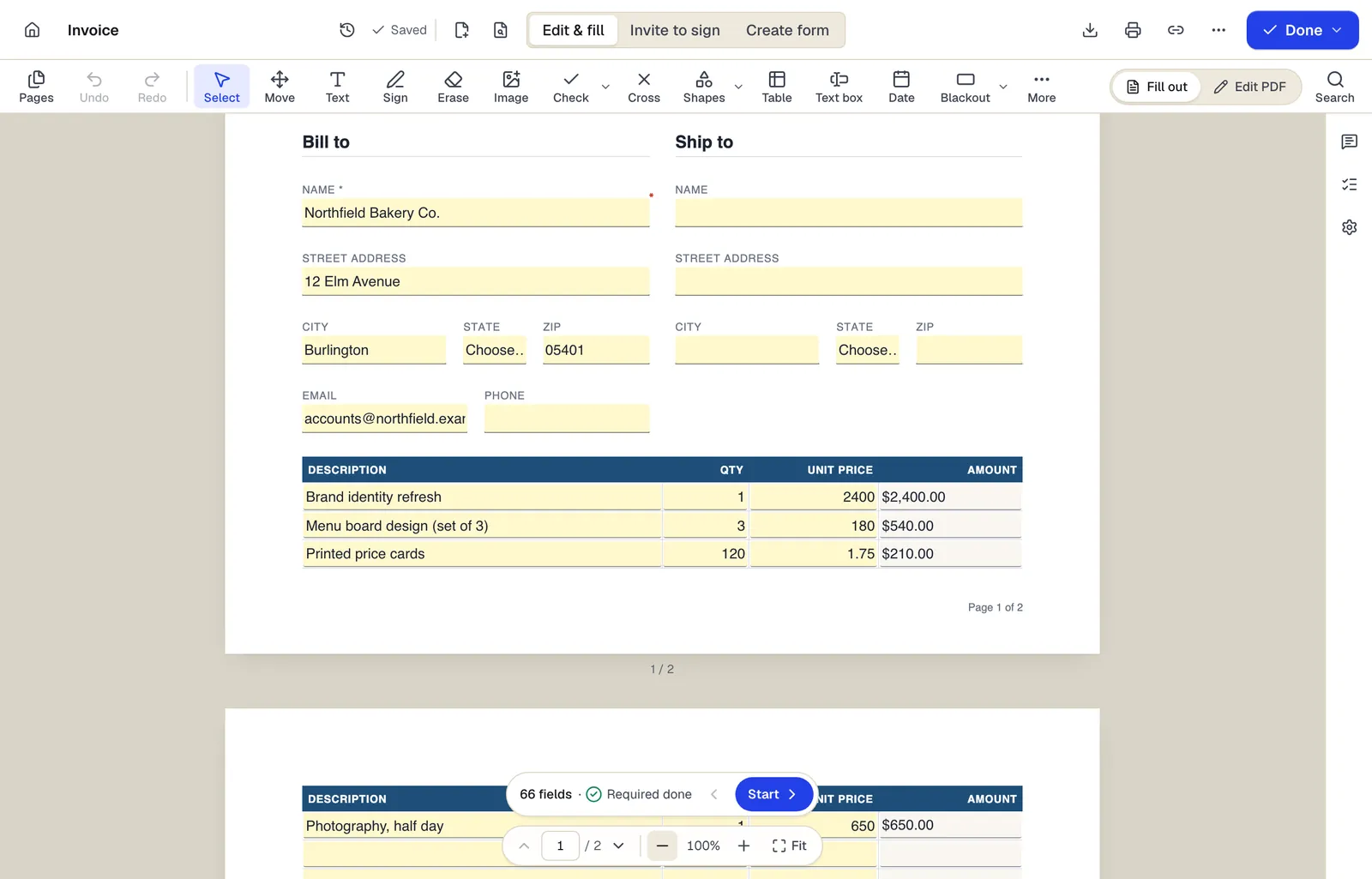
- Edit & fill, Invite to sign and Create form are three modes of the same editor
- Amounts are formula fields: they calculate as you type
- The field navigator counts what's left and jumps to the next field
Shown with our invoice template. Sample content; names are fictional.
Written for: General (US)
This template is a general starting point, not legal advice. Employment laws differ by state and country; have a qualified professional or HR advisor review it for your situation.
Written by PDFBetter and last reviewed October 15, 2026. Spotted a problem? Tell us.
Employee Emergency Contact Form: questions people ask
Do I have to give medical information?
No. The medical section is voluntary. Employers that receive it should keep it confidential and separate from personnel files.
How often should this be updated?
At least once a year and whenever a contact changes. Re-send the form during annual reviews or open enrollment.
Is my employer allowed to share this information?
It should be used only to reach your contacts or inform responders in an emergency. Medical information has confidentiality requirements under laws such as the ADA.
Can this be filled out online?
Yes. Open it with Fill PDF or publish it as a web form for the whole team.
Ready when you are
Fill the Employee Emergency Contact Form now — no account to start.