
Freelance Contract
For freelancers in creative and technical fields who quote a fixed project price. It covers the parts that cause most freelance disputes: deposits, revision limits, approval deadlines, cancellation and when rights transfer.
- Fields
- 43
- Pages
- 3
- Paper
- Letter
Fill it online without an account. The blank PDF is free to download and works in any PDF reader. Downloading a filled copy from the editor needs a free account — 3 downloads a month, no watermark. See plans
Reviewed
Before you start
What you need to fill it in
- Your name or business name and the client's details
- Project description and final deliverables
- Total project fee and deposit percentage
- Milestones with dates and amounts
- Number of included revision rounds and the rate for extra rounds
- Kill fee percentage if the client cancels
What's inside
43 fields, ready to fill
- 32Typed answersnames, addresses, descriptions
- 7Dateschecked as real dates
- 1Calculatedfill themselves from other fields
- 1Choicescheckboxes, options, dropdowns
- 2Signaturessignature and initials
19 required — the editor counts down how many are left while you fill.
Instructions
How to fill out the Freelance Contract
- 1
Fill in freelancer and client
Enter both parties' legal names and contact details.
- 2
Describe the project
List deliverables, file formats and anything excluded, such as stock photo licenses or hosting.
- 3
Set fee, deposit and milestones
Enter the total fee and deposit percentage. Use the milestone table for each payment, with its due date and amount.
- 4
Define revisions
Enter how many revision rounds are included and the hourly rate for extra rounds.
- 5
Set the kill fee and sign
Enter the percentage of the fee owed if the client cancels mid-project, choose the governing state and sign.
Fill it online
What filling it looks like
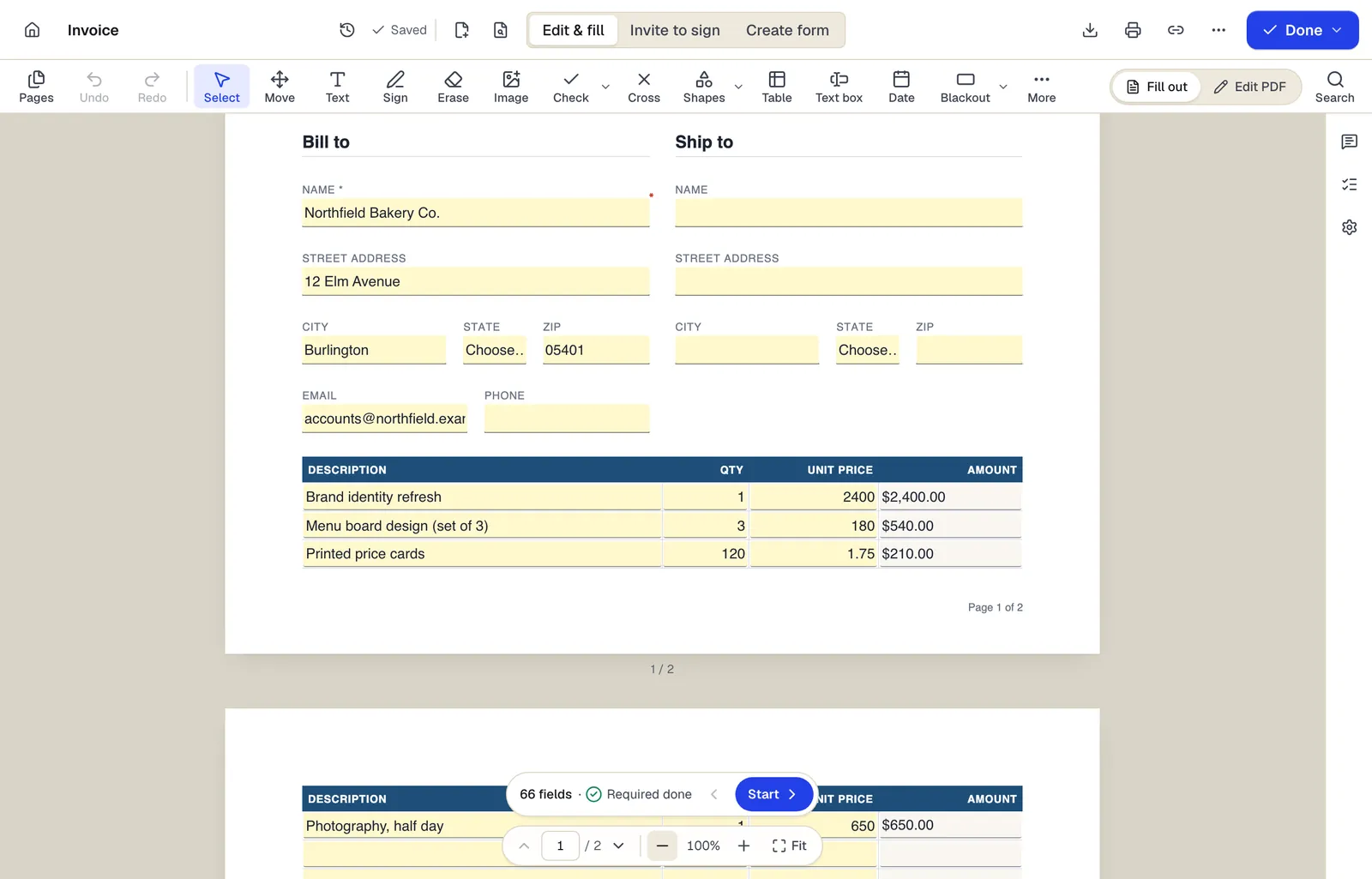
- Edit & fill, Invite to sign and Create form are three modes of the same editor
- Amounts are formula fields: they calculate as you type
- The field navigator counts what's left and jumps to the next field
Shown with our invoice template. Sample content; names are fictional.
Written for: General (US)
This template is a general starting point, not legal advice. Laws differ by state and country; have a qualified professional review it for your situation.
Written by PDFBetter and last reviewed October 15, 2026. Spotted a problem? Tell us.
Freelance Contract: questions people ask
Is a freelance contract signed online binding?
Generally yes. US law treats e-signatures on commercial contracts like ink signatures, and no notary or witness is needed for this kind of agreement.
Why does copyright transfer only after final payment?
Tying the transfer to payment gives the freelancer leverage if invoices go unpaid. Until then the client has a license to review drafts only.
What counts as a revision round?
One consolidated set of feedback on a deliverable. Ask the client to collect comments from all stakeholders before sending them.
Can I show the work in my portfolio?
This template allows it after public launch unless the client marks the project confidential. Change the option if your client needs secrecy.
Is a kill fee legal?
Kill fees are a common, generally enforceable way to pay for work already done and time reserved. Courts may refuse to enforce a fee that looks like a penalty, so keep it proportionate.
Ready when you are
Fill the Freelance Contract now — no account to start.