
Loan Agreement
For a lender and borrower, such as family members, friends or small businesses, who want a fuller record than a promissory note: conditions before funding, borrower promises, events of default and optional collateral.
- Fields
- 35
- Pages
- 3
- Paper
- Letter
Fill it online without an account. The blank PDF is free to download and works in any PDF reader. Downloading a filled copy from the editor needs a free account — 3 downloads a month, no watermark. See plans
Reviewed
Before you start
What you need to fill it in
- Lender and borrower legal names and addresses
- Loan amount and funding date
- Annual interest rate (check your state's usury limit)
- Repayment type, payment amount and first payment date
- Late fee and grace period, if any
- Collateral description, if the loan is secured
What's inside
35 fields, ready to fill
- 24Typed answersnames, addresses, descriptions
- 6Dateschecked as real dates
- 3Choicescheckboxes, options, dropdowns
- 2Signaturessignature and initials
20 required — the editor counts down how many are left while you fill.
Instructions
How to fill out the Loan Agreement
- 1
Enter lender and borrower
Use full legal names. If a business borrows, name the business and have an authorized officer sign.
- 2
Set the loan terms
Enter principal, interest rate and the date funds will be delivered.
- 3
Choose the repayment structure
Select installments or a single lump sum. For installments, enter the payment amount, frequency, first due date and number of payments.
- 4
Add late fee and collateral
Fill in the grace period and late fee. If secured, describe the collateral; separate filings may be needed to protect a security interest.
- 5
Sign
Both parties sign. Keep a record of the transfer of funds with the agreement.
Fill it online
What filling it looks like
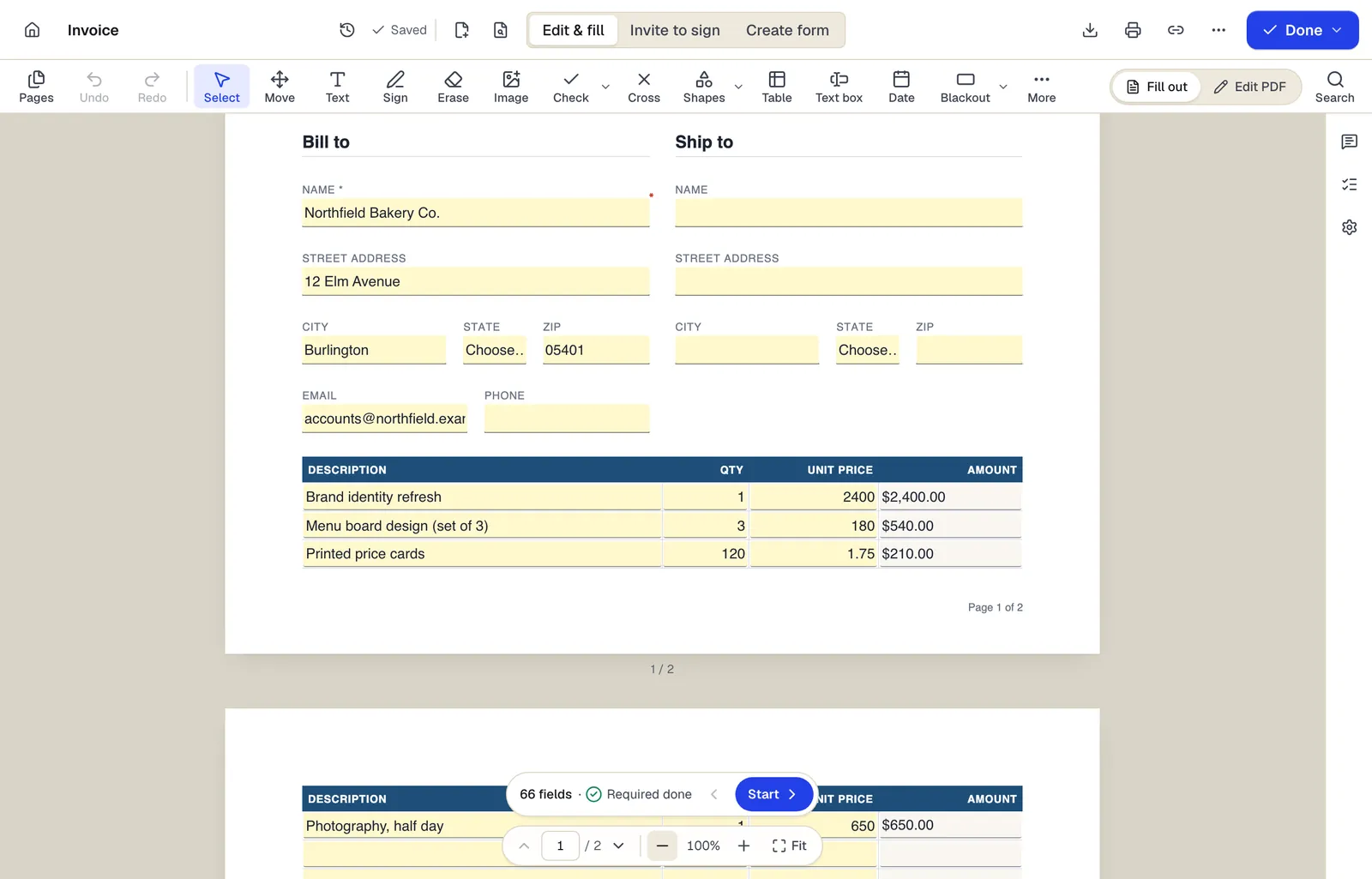
- Edit & fill, Invite to sign and Create form are three modes of the same editor
- Amounts are formula fields: they calculate as you type
- The field navigator counts what's left and jumps to the next field
Shown with our invoice template. Sample content; names are fictional.
Written for: General (US)
This template is a general starting point, not legal advice. Laws differ by state and country; have a qualified professional review it for your situation.
Written by PDFBetter and last reviewed October 15, 2026. Spotted a problem? Tell us.
Loan Agreement: questions people ask
Is a loan between family members taxable?
It can be. If the interest rate is below the IRS applicable federal rate, imputed interest or gift tax rules may apply. Ask a tax adviser for loans of meaningful size.
What is the maximum interest rate I can charge?
Each state sets its own usury limits, with many exceptions. Charging above the limit can make interest uncollectable or carry penalties, so check the governing state's rule.
Does a loan agreement need a notary?
Not usually. Notarization can help prove signatures. If the loan is secured by real estate, the mortgage or deed of trust must meet recording rules, which often require notarization.
Loan agreement or promissory note?
A promissory note is a short promise to repay. A loan agreement adds conditions, borrower promises and default procedures. Larger or secured loans often use both.
Can we sign electronically?
Generally yes for unsecured personal and business loans in the US. Collateral documents that must be recorded may have separate requirements.
Ready when you are
Fill the Loan Agreement now — no account to start.